Honest attendance. Private data.
Attendance you can trust, location only when it is fair, and every person seeing only what they should. Here is exactly how it works.
Real anti-spoofing
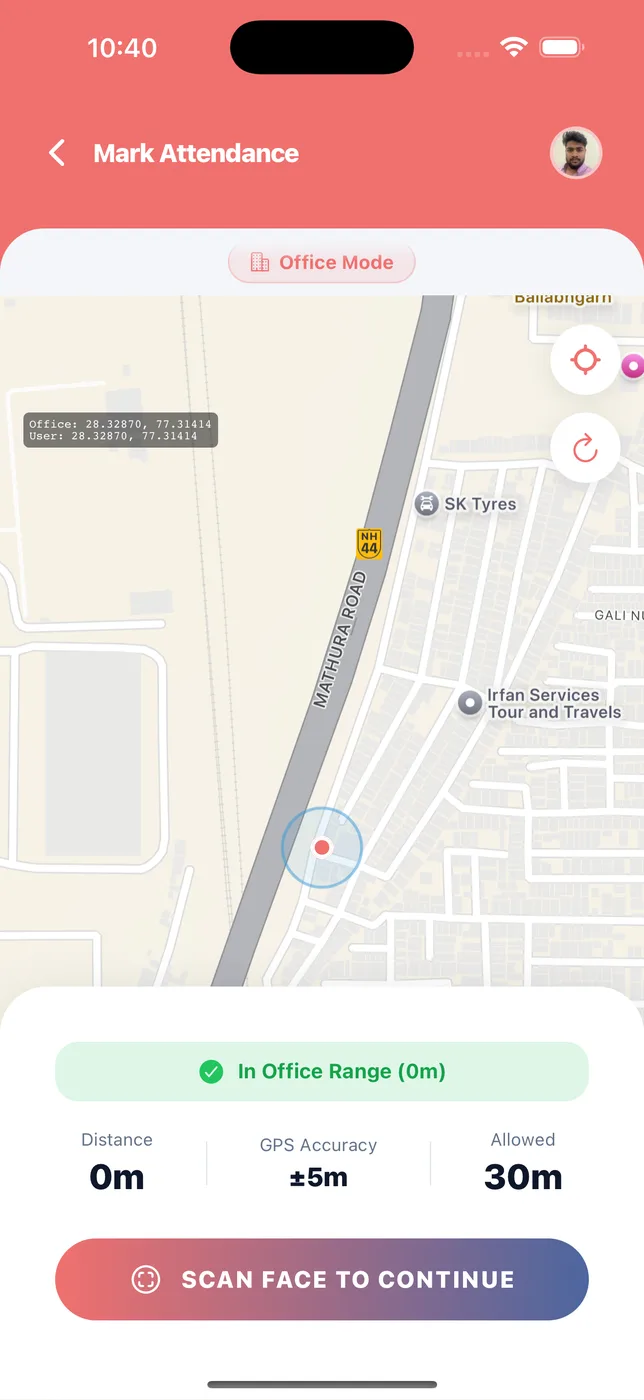
The face check looks for a live face. A photo of a colleague, or a face on another screen, will not work.
Inside the office range
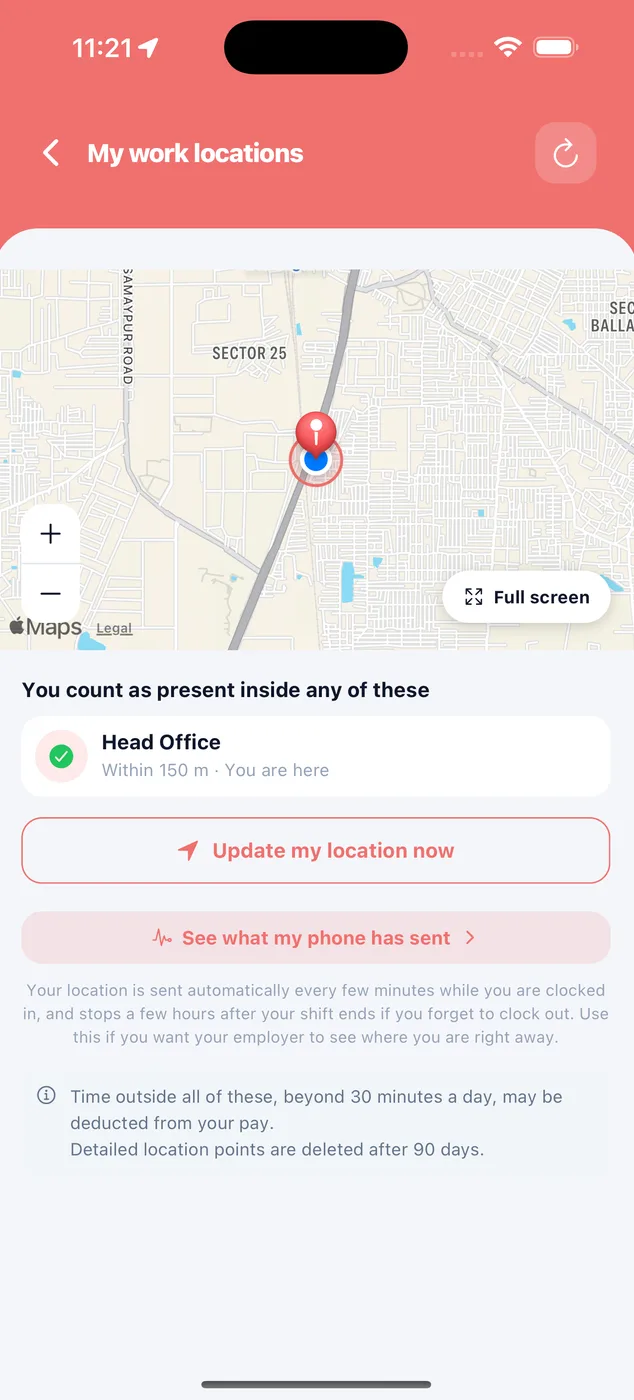
Staff count as present only inside an allowed location. Distance and GPS accuracy are shown on screen.
Staff see only their own work
Employees see their own attendance, leave and payslips. Never anyone else's salary or record.
Location only with consent
Tracking tracks nobody by itself. You enrol staff one at a time, and only while they are clocked in.
Deleted after 90 days
Detailed location points are deleted after 90 days. Staff can see what their phone has sent.
Payroll that cannot drift
Approved figures are locked. A change in settings never touches payroll you have already approved or paid.
OTP login
Log in with your mobile number and a one-time password. No passwords to share or forget.
Companies kept apart
Each company has its own staff, attendance, payroll and settings, even under one owner login.
Record only, or deduct later.
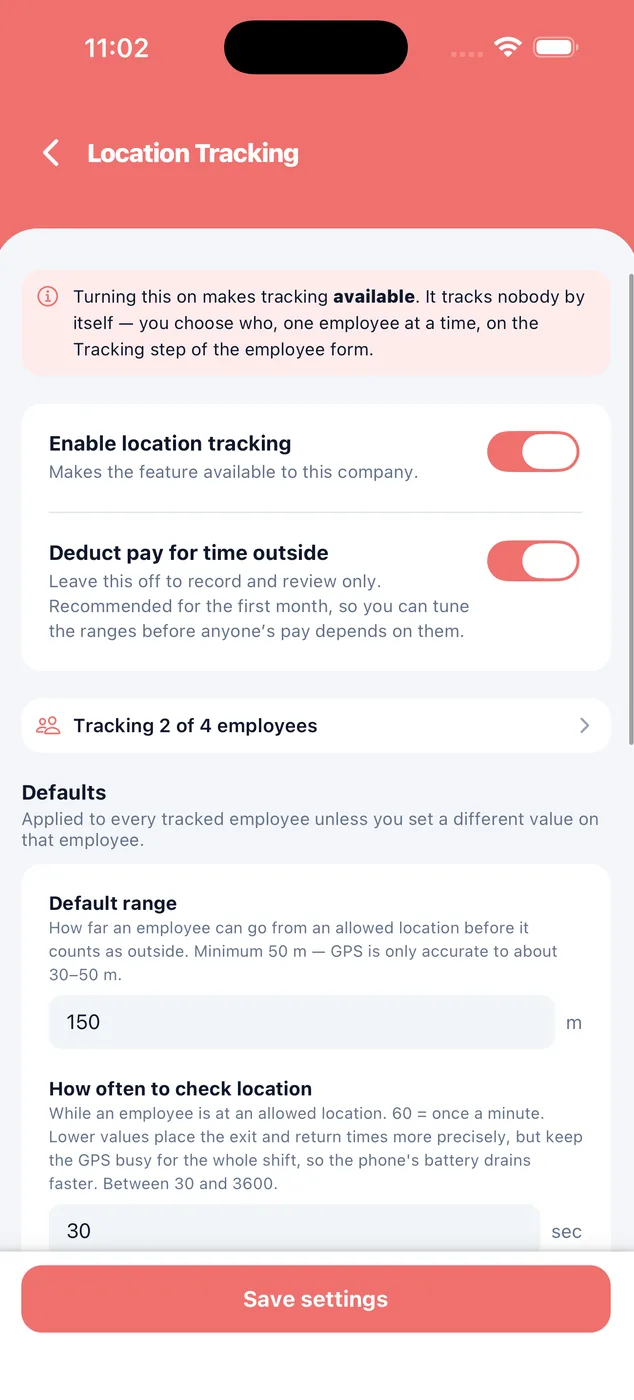
Turning tracking on makes it available. It tracks nobody by itself. You set the range, how often to check, and whether time outside affects pay, which is off by default.
- Default range, minimum 50 m
- Check every 30 to 3600 seconds
- Nothing is deducted until you have reviewed it
Nothing is hidden from them.
Staff see the places they count as present, their own map, and what their phone has sent. Location stops a few hours after the shift ends if they forget to clock out.
- Location only while clocked in
- Their own map and history
- Readings deleted after 90 days
See it on your own data
Download the app, add a few staff and run your first month. Or book a demo and we will set up a company with your staff and show you a real payslip.
 iPhoneScan to download
 AndroidScan to download