
 Payroll
The month adds itself up.
Tap Generate. Paylap reads attendance, leave, holidays and each salary, and works out every payslip with the working written out. You read it, you approve it, and the slips go out.
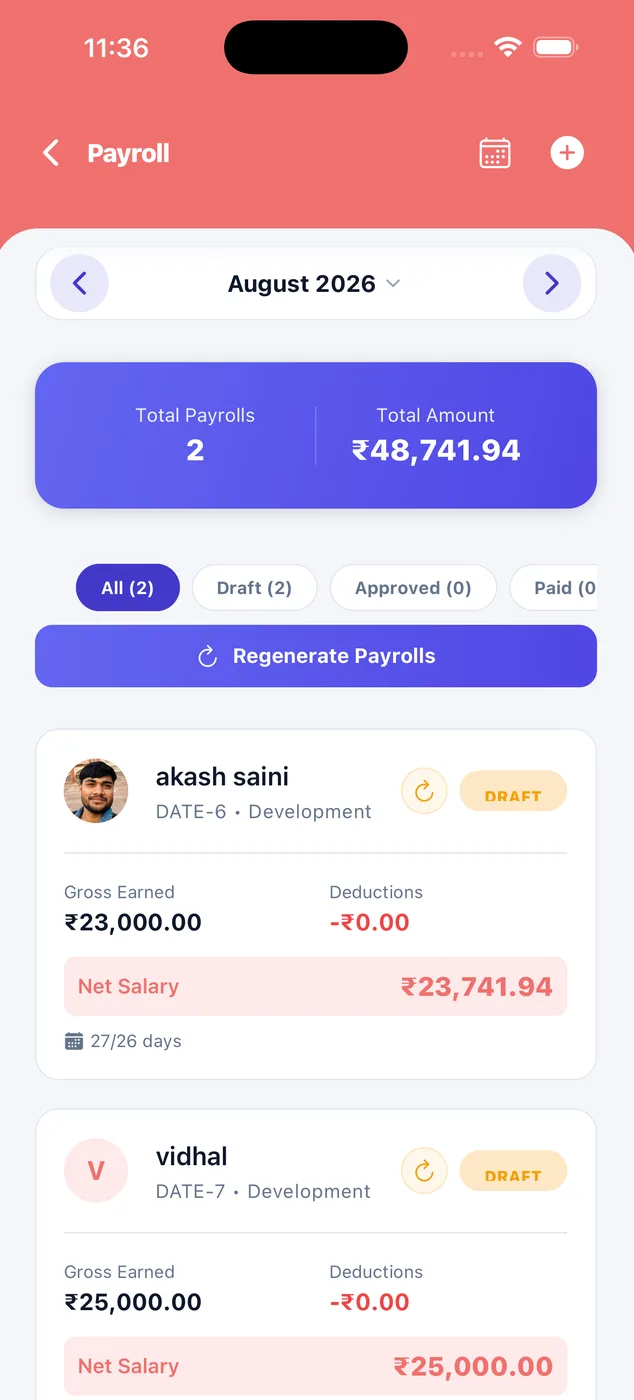
One button
Pick the month and tap Generate. It reads attendance, leave and each salary by itself.
Shows its working
Every payroll comes with notes in plain English, so you can check it without doing the sums.
Nothing final until you say so
Draft, then Approved, then Paid. Until you approve, nothing reaches anybody.
How a salary is worked out
This is the part most people get wrong by hand. The app does it the same way every month, and shows its working.
Start with the salary
Whatever you put in the employee file. That is the monthly figure.
Count the days
Calendar days in the month, then present days, leave, absents and holidays from the attendance record.
Work out one day
Monthly salary divided by the calendar days in that month. That is the per-day rate.
Pay for days worked
Per-day rate times paid days. Weekly offs and holidays are paid. Unpaid leave and absents are not.
Add what is extra
Bonus, overtime, a holiday worked, and any benefit you add by hand.
Take off what is due
PF, ESI, an advance being recovered, a penalty, unpaid leave.
That is the net salary
The amount that goes to the bank. The payslip shows every line above it.
A real month.
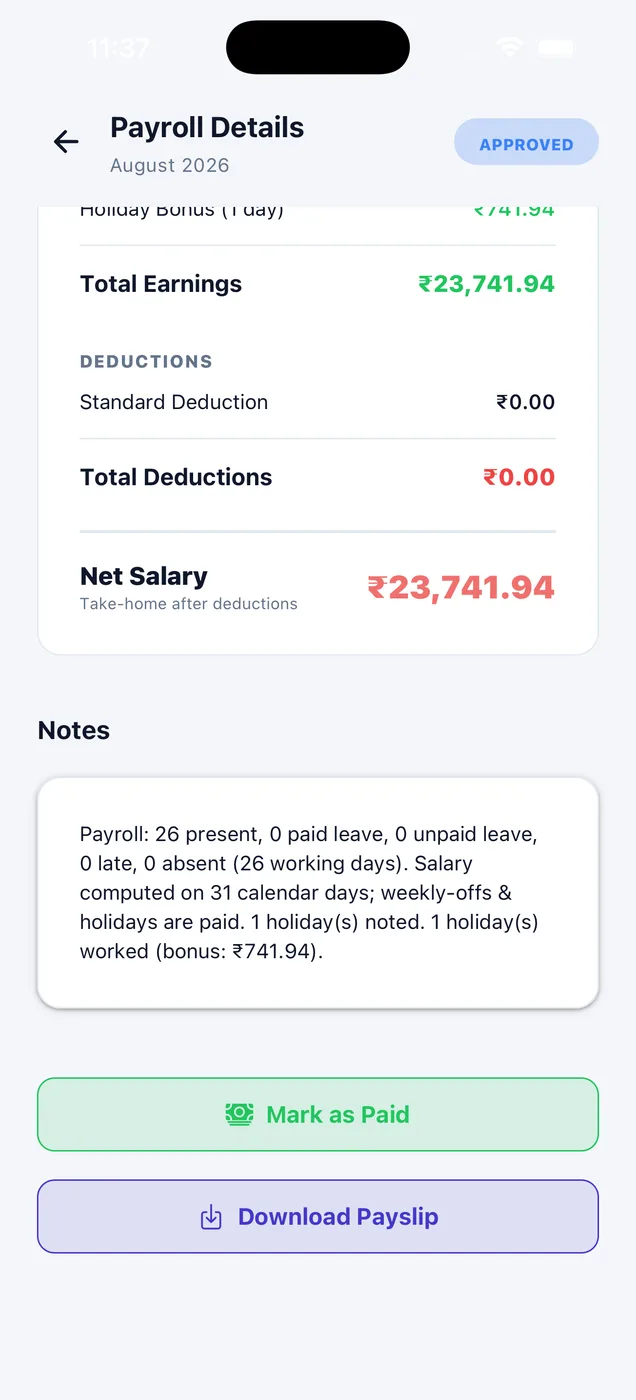
One employee, August 2026. Every figure came out of the app. Nothing was typed in by hand.
| Line | Amount | Where it came from |
|---|---|---|
| Monthly salary | ₹23,000.00 | From the employee file |
| Calendar days | 31 | August 2026 |
| Per-day salary | ₹741.94 | ₹23,000 ÷ 31 |
| Working days | 26 | After weekly offs and the holiday |
| Present | 26 | Face check, every day |
| Paid days | 31.00 | Weekly offs and holidays are paid |
| Holiday bonus | ₹741.94 | Worked on a company holiday |
| Total earnings | ₹23,741.94 | |
| Total deductions | ₹0.00 | PF and ESI off for this company |
| Net salary | ₹23,741.94 | Take-home |
Nothing is final until you say so
A payroll moves through three states, and you decide when it moves. Until you approve, nothing has reached anybody.
Draft
Still editable. Change the salary basis, add a benefit, fix a figure, or regenerate the whole month. Nothing has gone out.
Approved
The figures are locked. The payslip is made, and the employee can see it in their own app.
Paid
You have paid the money. The record is closed and matches the payslip exactly.
How it looks in the app
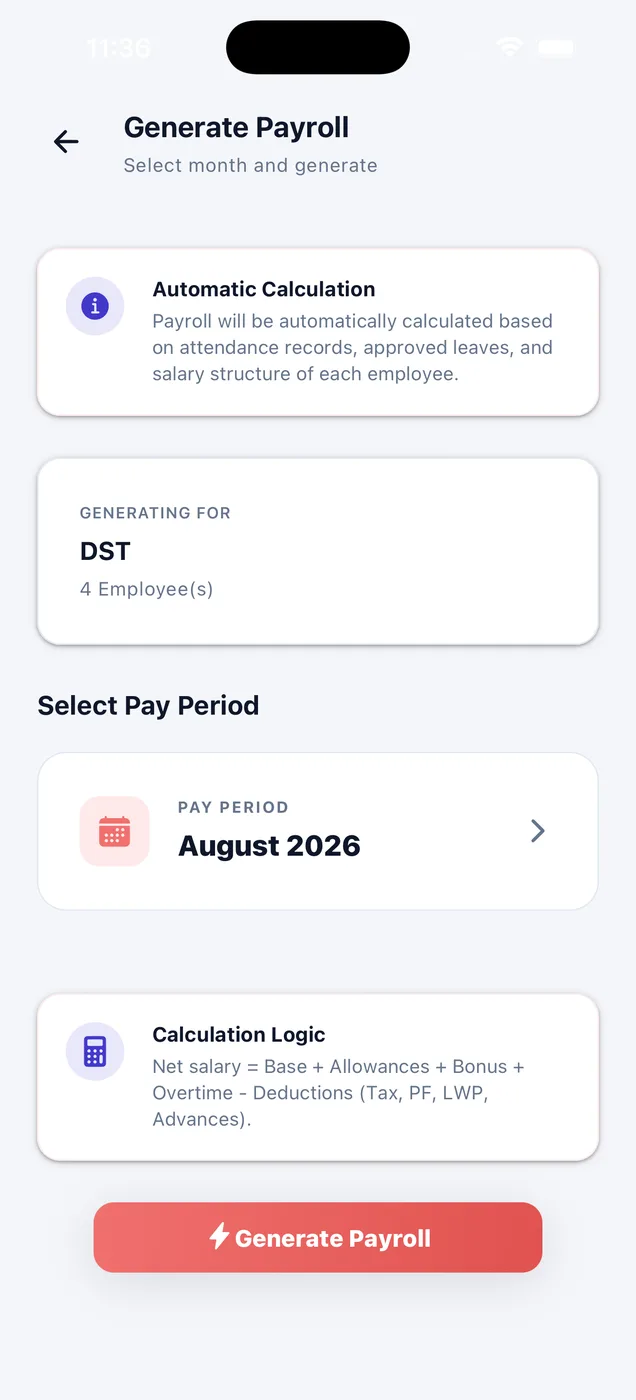
Pick the month and go.
Choose the pay period and tap Generate. Net salary is base plus allowances, bonus and overtime, minus PF, ESI, unpaid leave and advance recovery.
- Reads attendance, approved leave and salary structure
- Works for every employee at once
- Regenerate any time while it is a draft
See the wage bill before you commit.
Everyone you are paying, and the total. Filter by draft, approved or paid, and open anyone.
- Gross, deductions and net per person
- Days worked against working days
- Regenerate payrolls in one tap
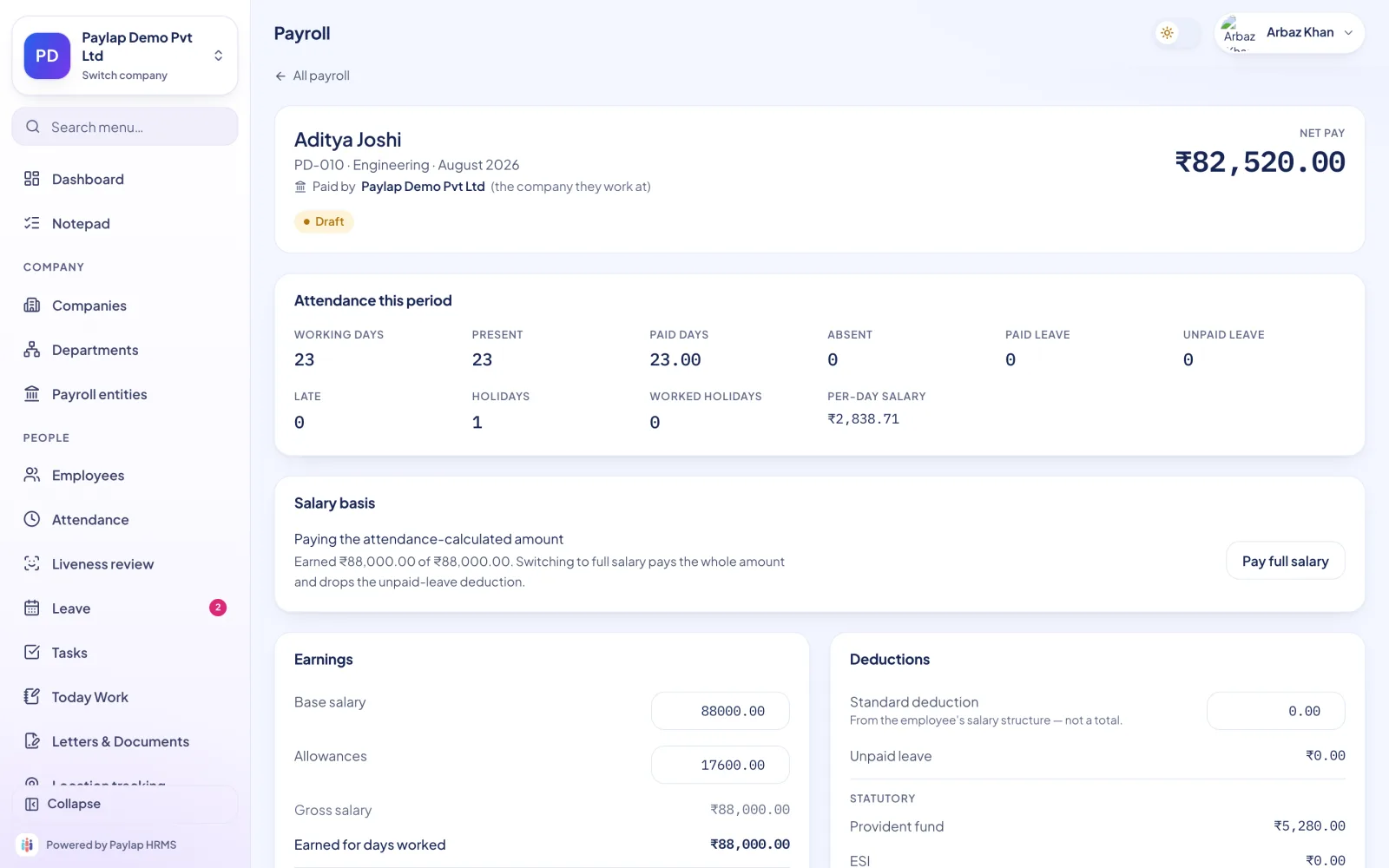
One payroll, fully open.
Attendance for the period, the salary basis in words, and earnings and deductions side by side, with the statutory block broken out.
- Nine attendance counts and the per-day salary
- Edit a figure while it is a draft
- Mark paid, download or share the payslip
About payroll
Anything else? WhatsApp us on +91 82288 22825.
Can I change a figure before approving?
What if I approve by mistake?
Are weekly offs and holidays paid?
Does it deduct PF and ESI?



The month adds itself up.
The amount that goes to the bank. The payslip shows every line above it.
 iPhoneScan to download
 AndroidScan to download