
 Compliance
PF and ESI, done right.
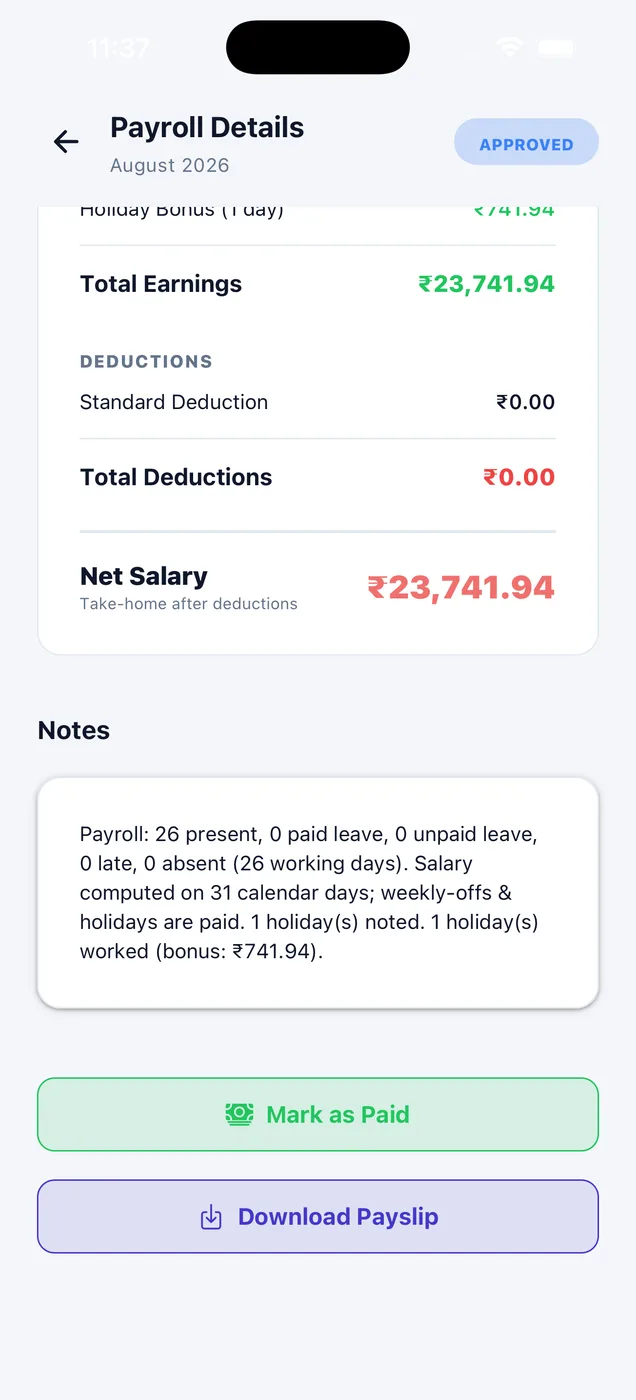
Set your rates once and every payslip follows them. A change never touches payroll you have already approved or paid.
Switch per company
PF and ESI each have their own on-off. A company that is not registered simply leaves them off.
Your own rates
Employee and employer shares, the pension slice, the wage ceiling and whether PF is charged on basic or gross.
Safe changes
A change applies to payroll generated from then on. Approved and paid payroll never changes.
Set your rates once
These are the rates the app starts with. Change any of them for your company, and every payroll generated afterwards follows them.
| Contribution | Employee | Employer | Applies to |
|---|---|---|---|
| Provident Fund (PF) | 12% | 12% | Up to a ₹15,000 wage ceiling |
| Pension (EPS) | — | 8.33% | Carved out of the employer share |
| ESI | 0.75% | 3.25% | While monthly gross stays under ₹21,000 |
- ESI half-year periods (April to September, October to March) are followed correctly.
- Turn either scheme off for the whole company, or for one employee.
- Charge PF on basic wages or on gross. The page explains what each means.
- Cap contributions at the wage ceiling or pay on full wages. The pension slice stays capped either way.
- The payslip shows the employer's share separately, so staff know it is not cut from their salary.
- Professional tax and TDS are marked "coming soon" in the app and are not calculated yet.
How it looks in the app
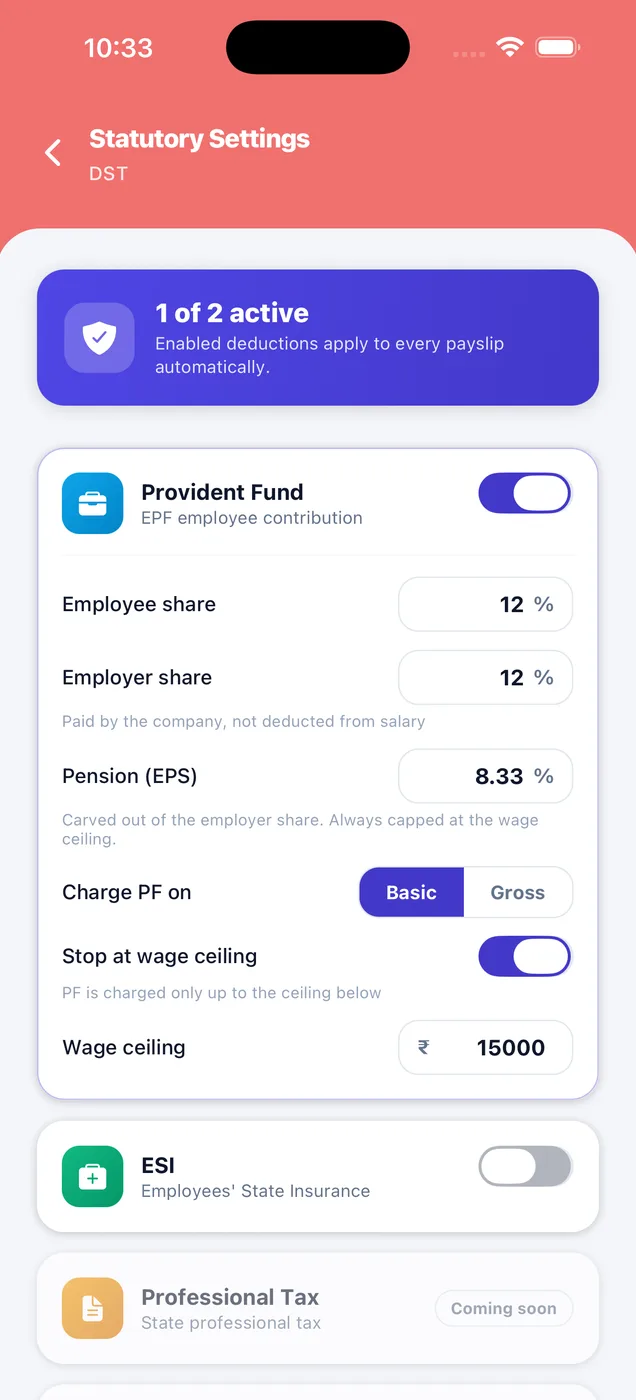
Your statutory rates.
Set the shares, the wage ceiling and who is covered. Set it once and every payslip follows it.
- Provident Fund with employee and employer share
- Pension (EPS) carved out of the employer share
- ESI switch
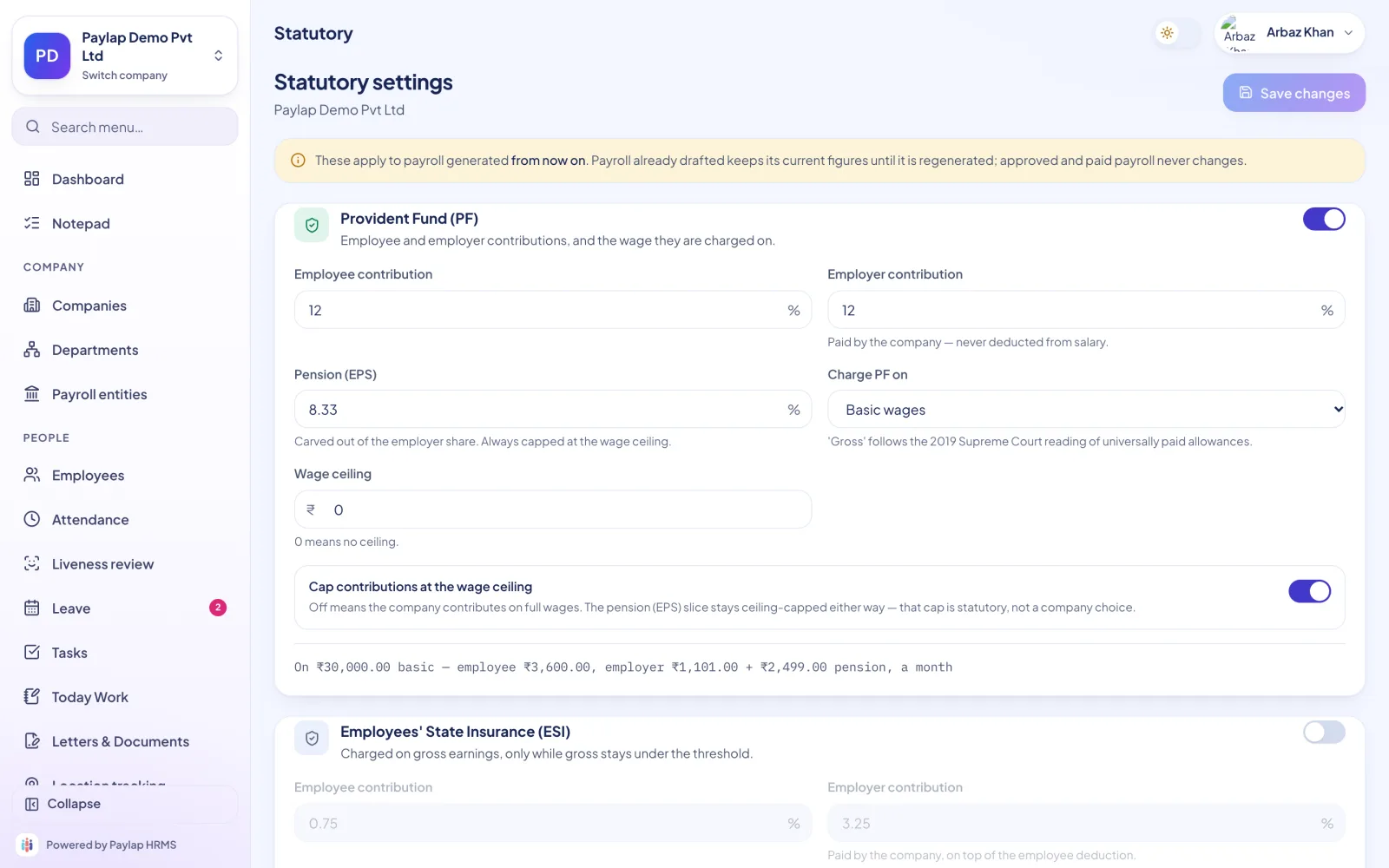
PF and ESI, set once.
Your rates live here. Every payroll generated afterwards follows them, and the page explains each option in plain words.
- Cap at the wage ceiling or pay on full wages
- ESI gross threshold
- Professional tax and TDS marked coming soon
About PF & ESI
Anything else? WhatsApp us on +91 82288 22825.
Can I turn PF or ESI off for one employee?
Is the employer share deducted from salary?
Are ESI half-year periods handled?
What about professional tax and TDS?



PF and ESI, done right.
A change applies to payroll generated from then on. Approved and paid payroll never changes.
 iPhoneScan to download
 AndroidScan to download