 Location tracking
Know where your field team is, without ringing anyone.
Live locations for the staff you choose, only while they are clocked in. Time away from work is reviewed by you before it ever touches pay.
Live map
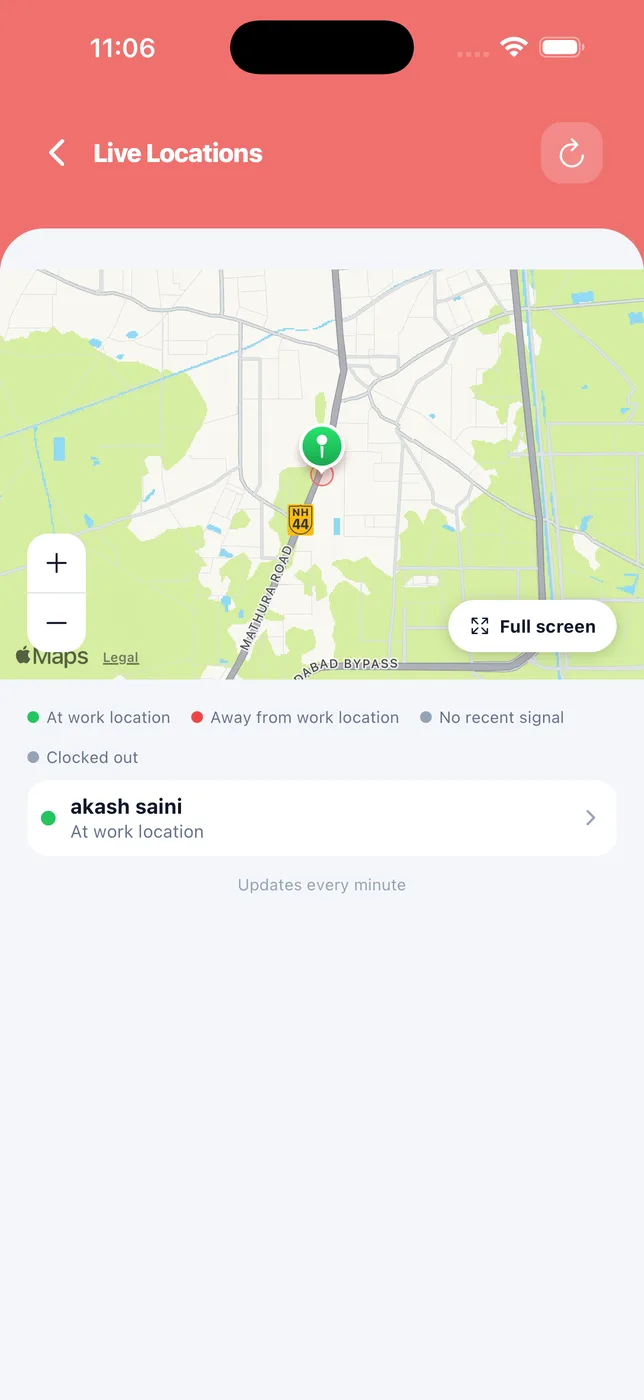
Who is at work, who is away, and whose phone has gone quiet. Updates every minute.
Time-away review
Review and excuse time away before payroll. Nothing is deducted until you have looked at it.
Consent first
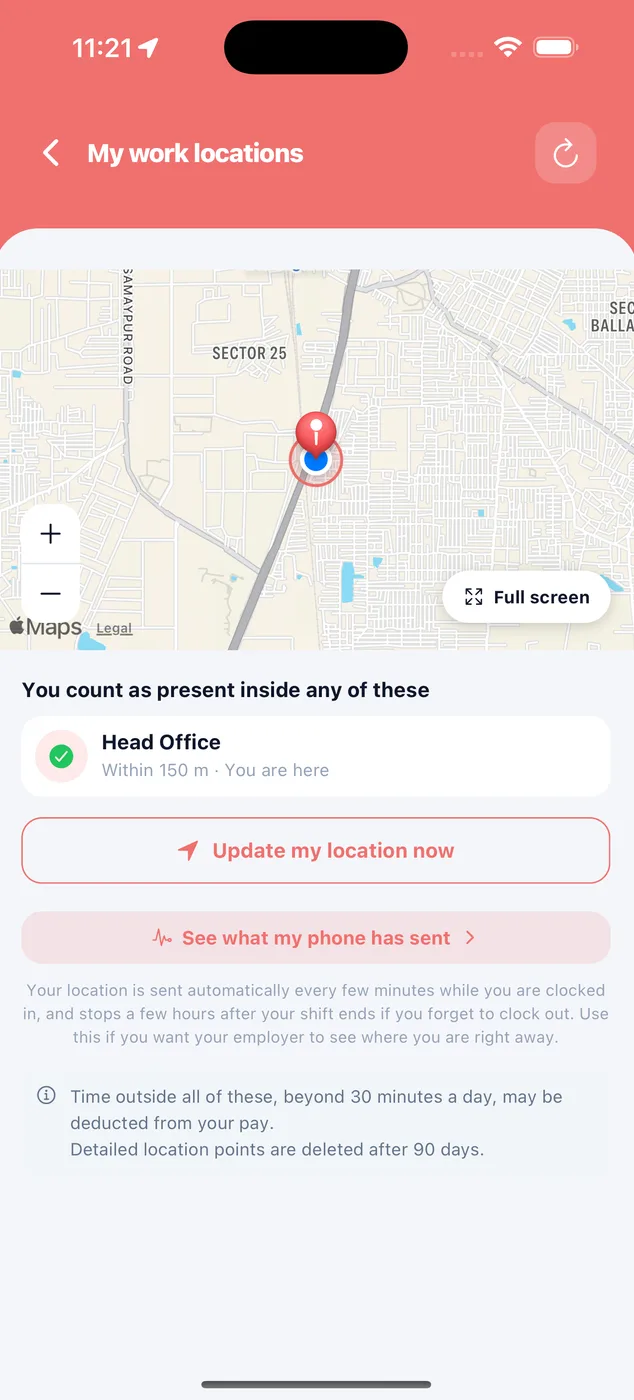
Staff are enrolled one at a time. They can see their own map and what their phone has sent.
How it looks in the app
A live map of your tracked staff.
Green is at work, red is away from the work location, grey means no recent signal or clocked out.
- Full-screen map
- Updates every minute
- Tap a person for their details
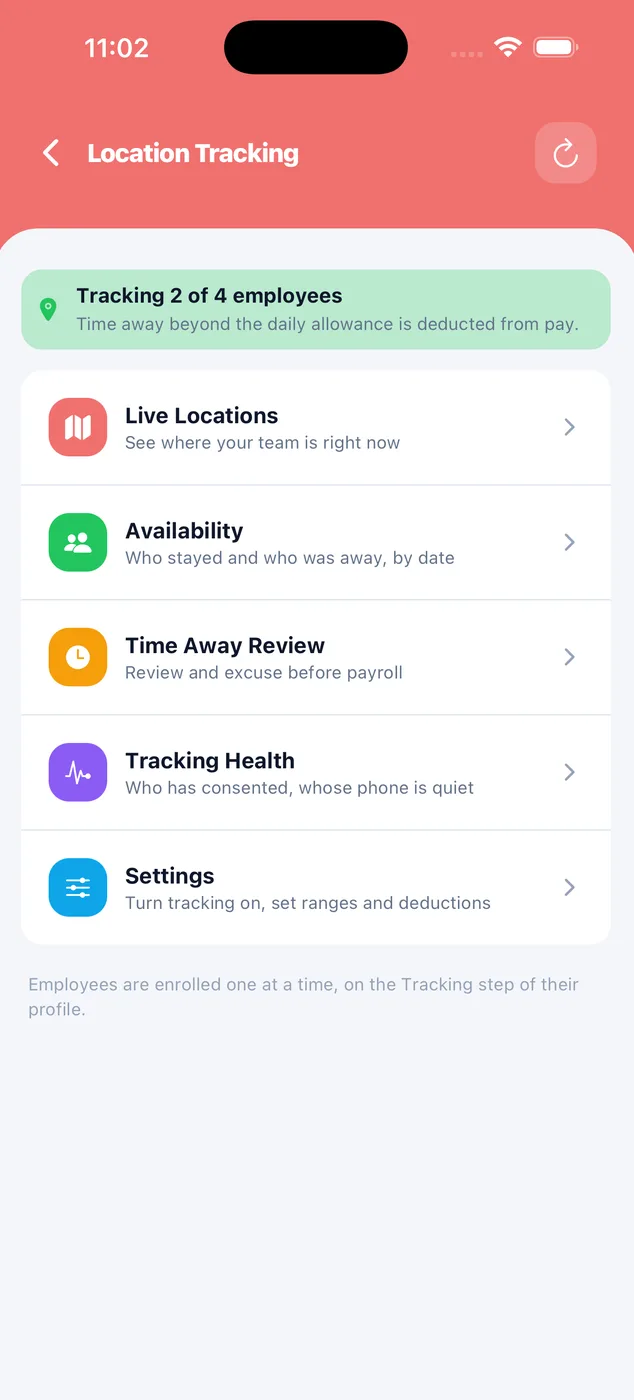
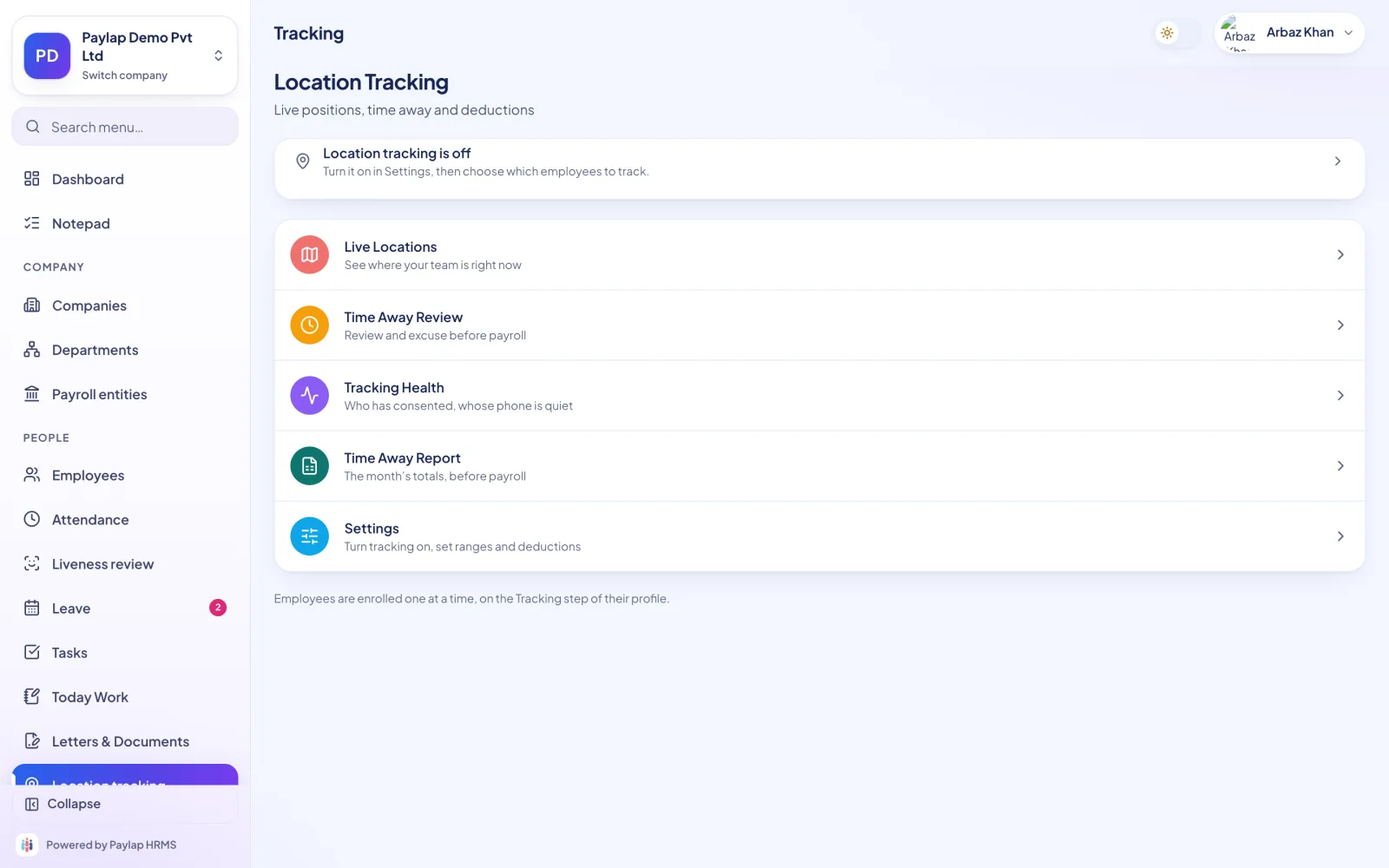
Everything about tracking in one place.
Open the live map, availability by date, the time-away review queue, tracking health and settings.
- Availability: who stayed and who was away, by date
- Tracking health: who has consented, whose phone is quiet
- Time-away review before payroll
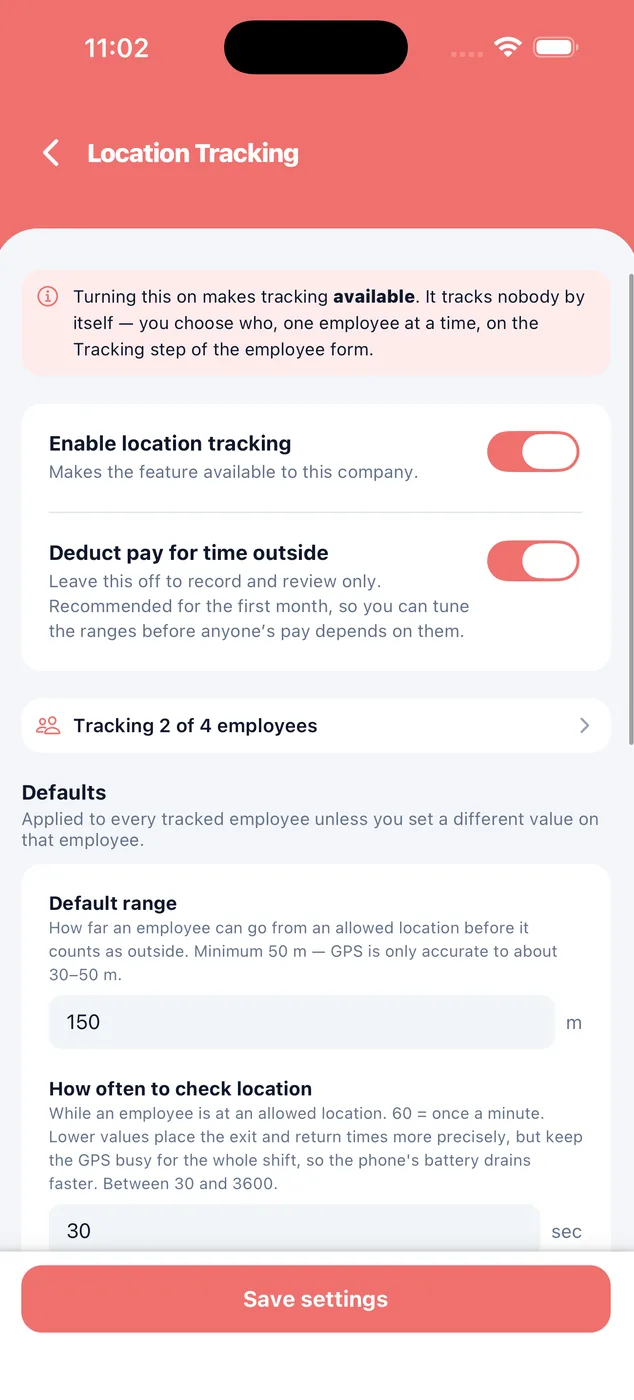
Record only, or deduct later.
Turning tracking on makes it available. It tracks nobody by itself: you choose who, one employee at a time.
- Default range, minimum 50 m (GPS is accurate to about 30 to 50 m)
- How often to check, between 30 and 3600 seconds
- Deduct pay for time outside, off by default
Nothing is hidden from them.
Staff see the places they count as present, their own map, and what their phone has sent. Detailed location points are deleted after 90 days.
- Location only while clocked in
- Stops a few hours after the shift if they forget to clock out
- Readings deleted after 90 days
Live positions, time away and deductions.
Review time away on a big screen before you run payroll, with a time-away report for the month.
- Time-away report
- Tracking health at a glance
- Settings in one place
About location tracking
Anything else? WhatsApp us on +91 82288 22825.
Is location tracked after work?
Does it track everyone in the company?
Will pay be cut automatically?
How long is location data kept?


Know where your field team is, without ringing anyone.
Staff are enrolled one at a time. They can see their own map and what their phone has sent.
 iPhoneScan to download
 AndroidScan to download