 Attendance
Attendance that counts itself.
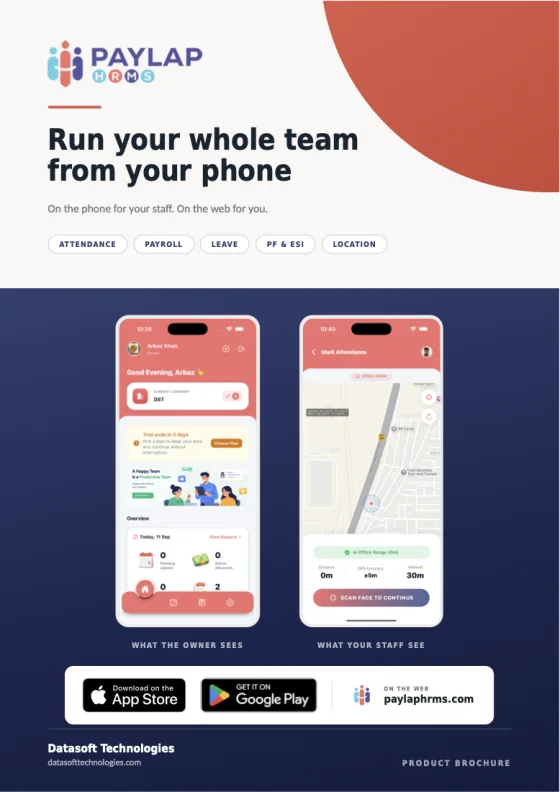
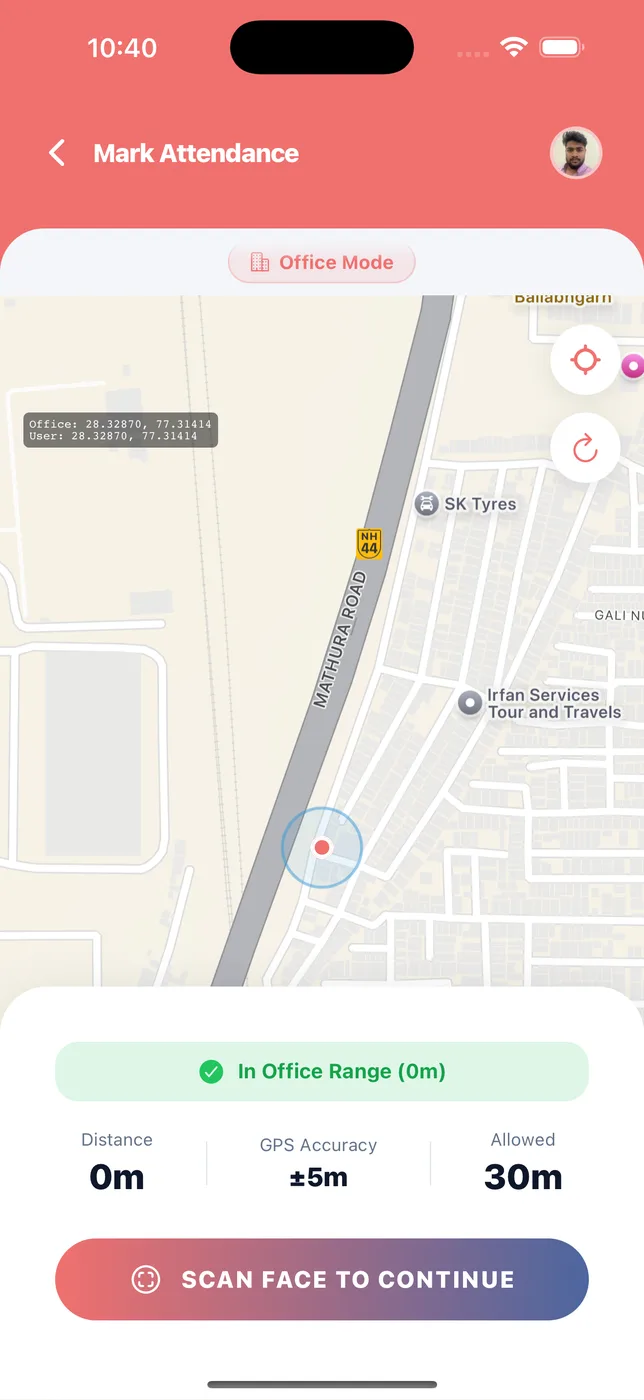
Staff clock in with their face, inside the office range. The app adds up present, late, leave and absent for you, and payroll reads it at the end of the month.
Face check-in
Real anti-spoofing. A photo of a colleague, or a face on a screen, will not work.
Office range
Staff count as present only inside an allowed location. Distance and GPS accuracy are shown.
Staff without phones
Site workers, drivers and housekeeping are marked by you, one tap each or all at once.
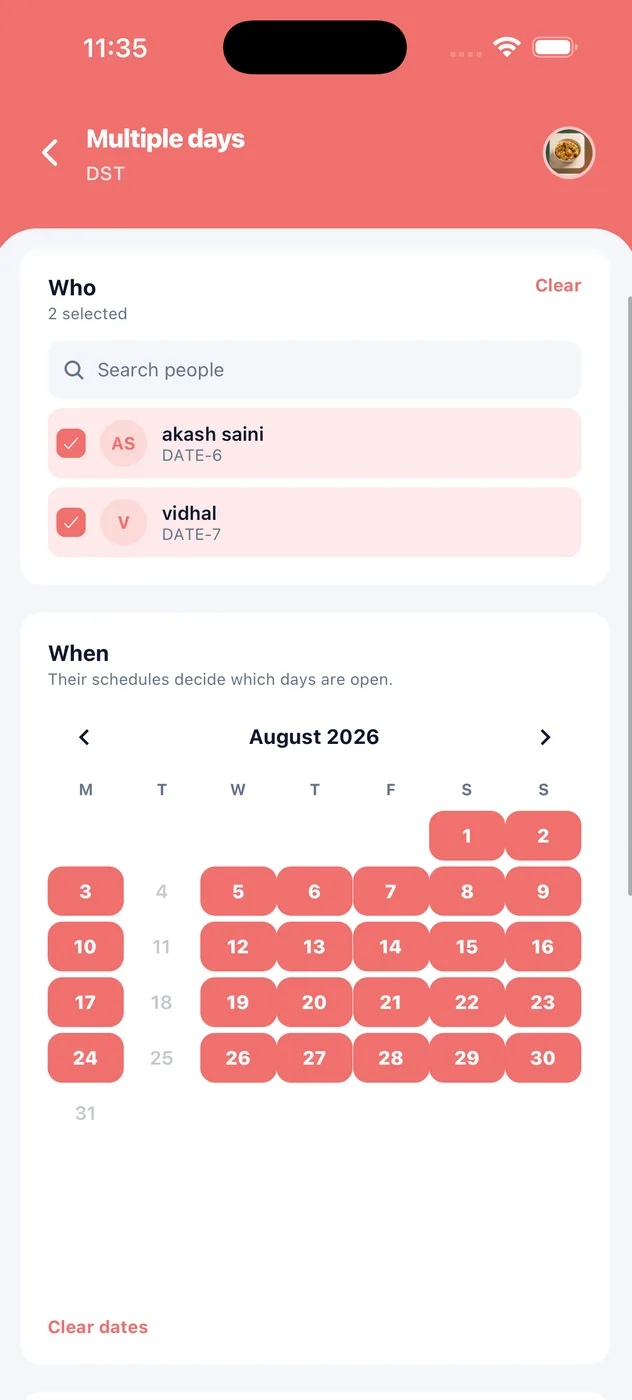
Mark many people, many days, at once
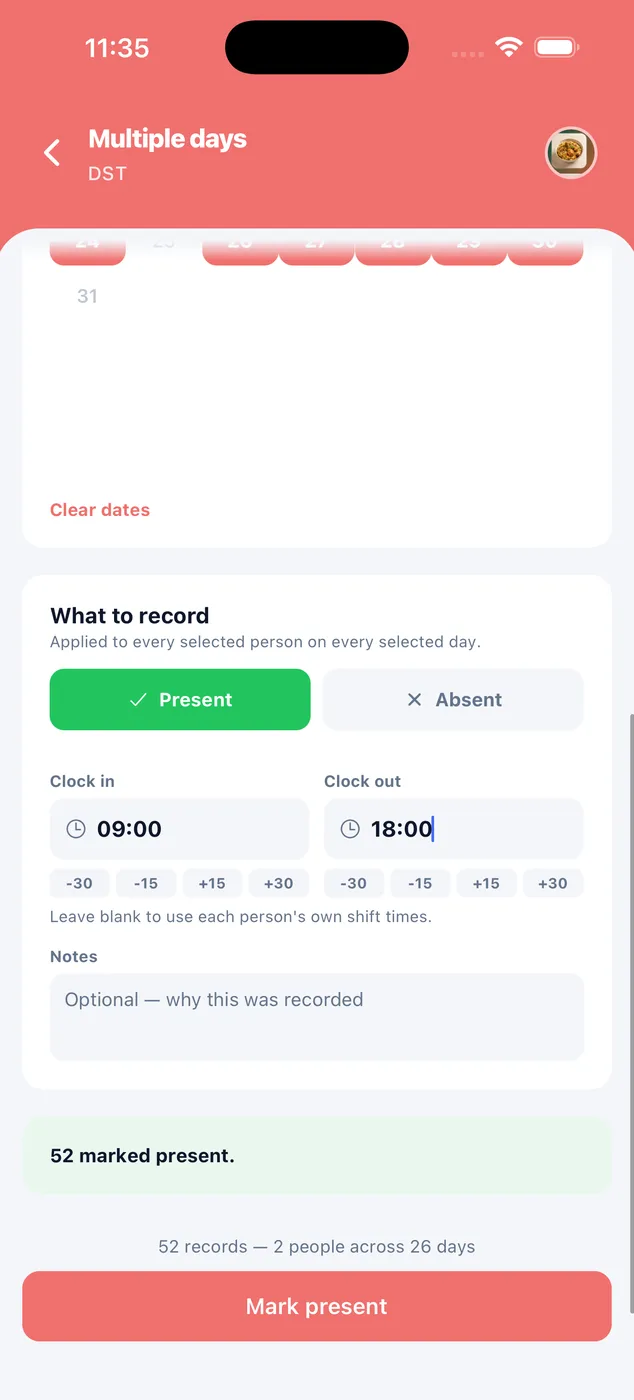
Site staff, drivers, a shift that ran all month. You do not have to open twenty-six days one at a time.
Pick the people
Tick a few names, or select everyone. Search if the list is long.
Pick the days
Tap dates on the calendar. Only the days those people actually work are open.
Say what happened
Present or absent, with clock-in and clock-out times. Leave times blank to keep each person's own shift hours.
Check the count
It tells you exactly what you are about to write, like "52 records, 2 people across 26 days", before you press the button.
How it looks in the app
Stand inside the range. Scan your face.
The app opens a live map of the office and where they are standing. Once they are inside the range, a face scan finishes the clock-in.
- Office mode with a live map
- Distance, GPS accuracy and the allowed range on screen
- The same face check to clock out
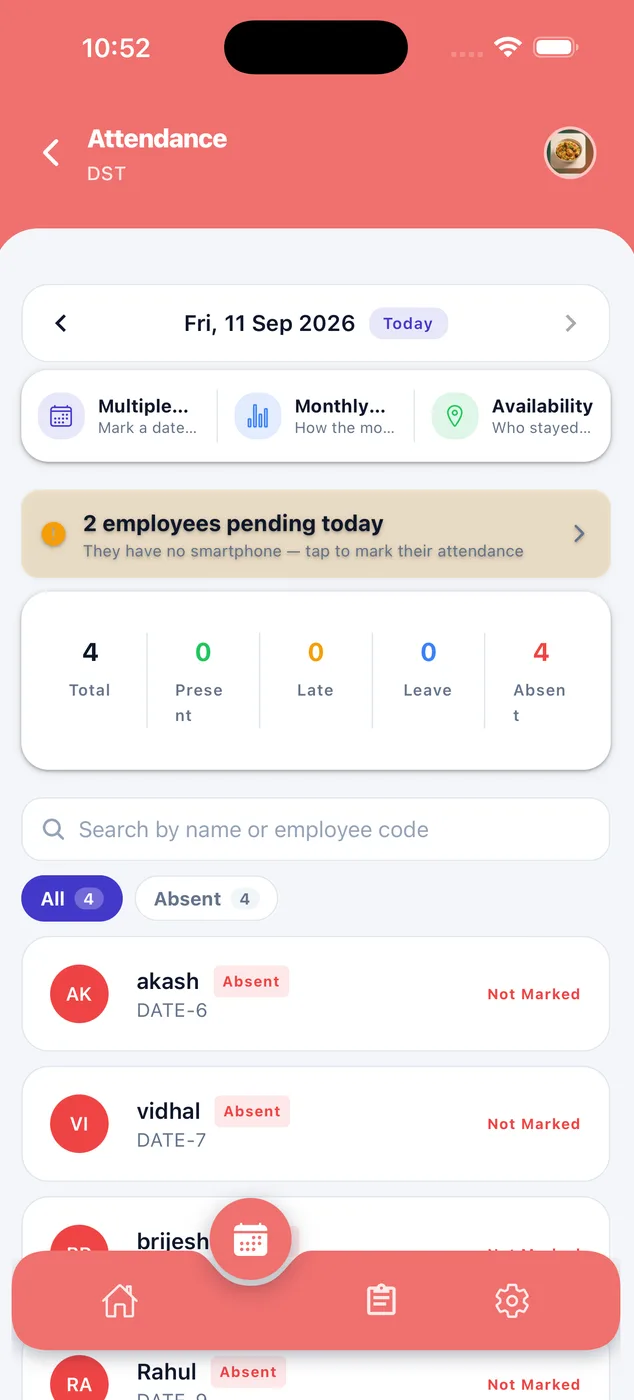
Who came in today.
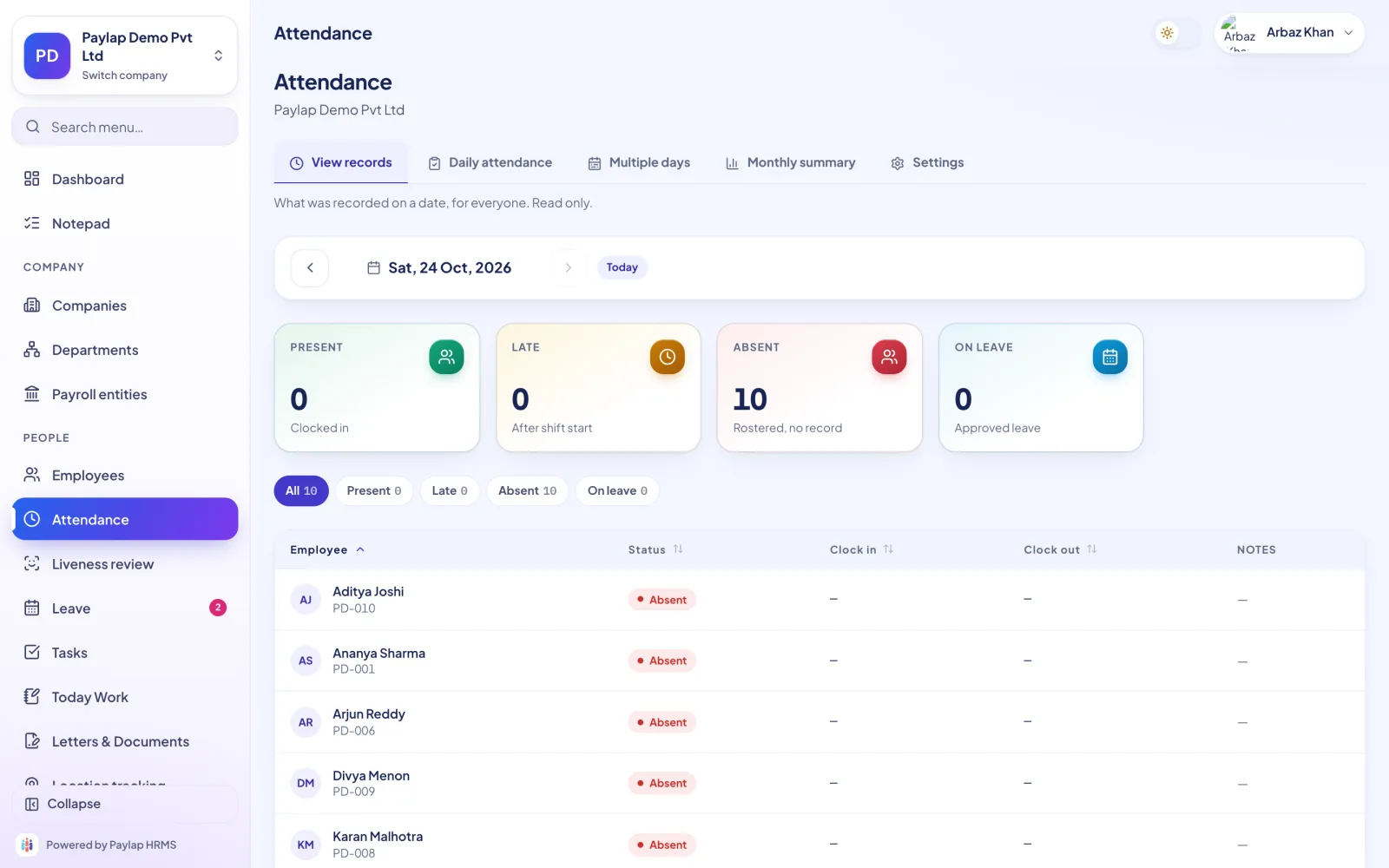
See present, late, leave and absent for any date. It is the register, but it adds itself up.
- Totals for the day at the top
- A reminder when staff without phones are still unmarked
- Search or filter by status
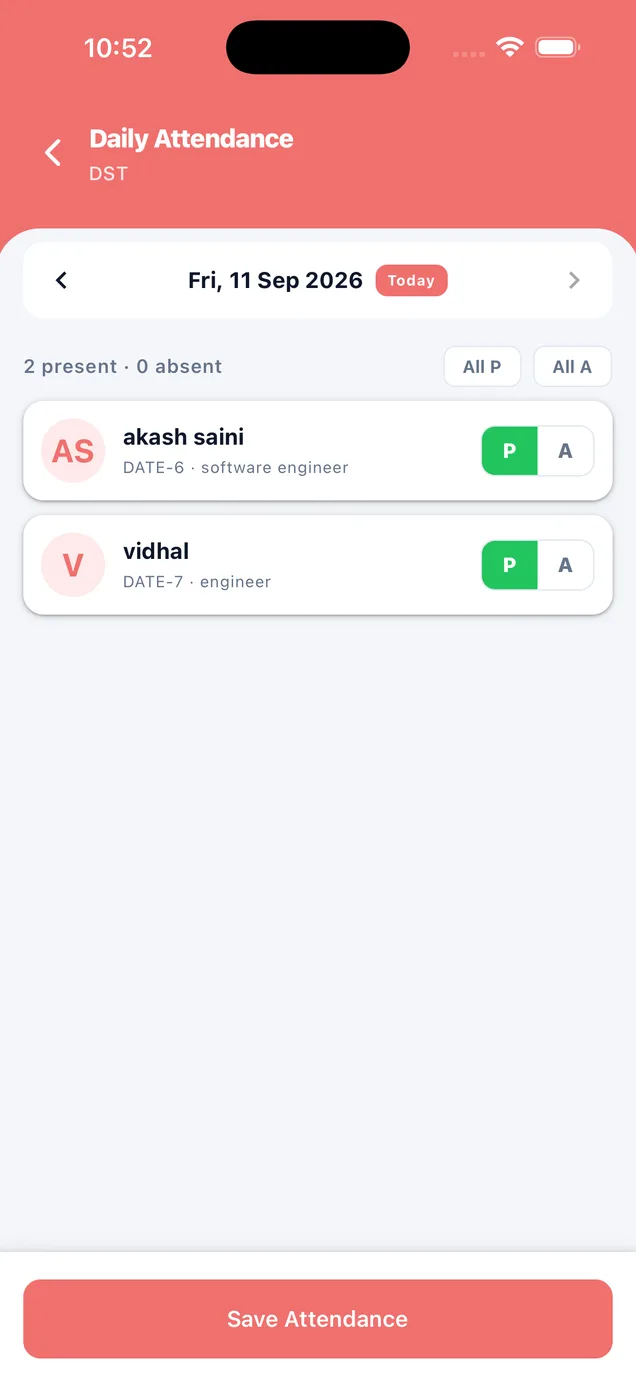
Tap P or A. Done.
For workers who have no phone, mark each person present or absent, or mark everyone at once. They are counted in payroll exactly like everyone else.
- One tap per person
- All present or all absent in one go
- Payroll picks it up automatically
Their own record, month by month.
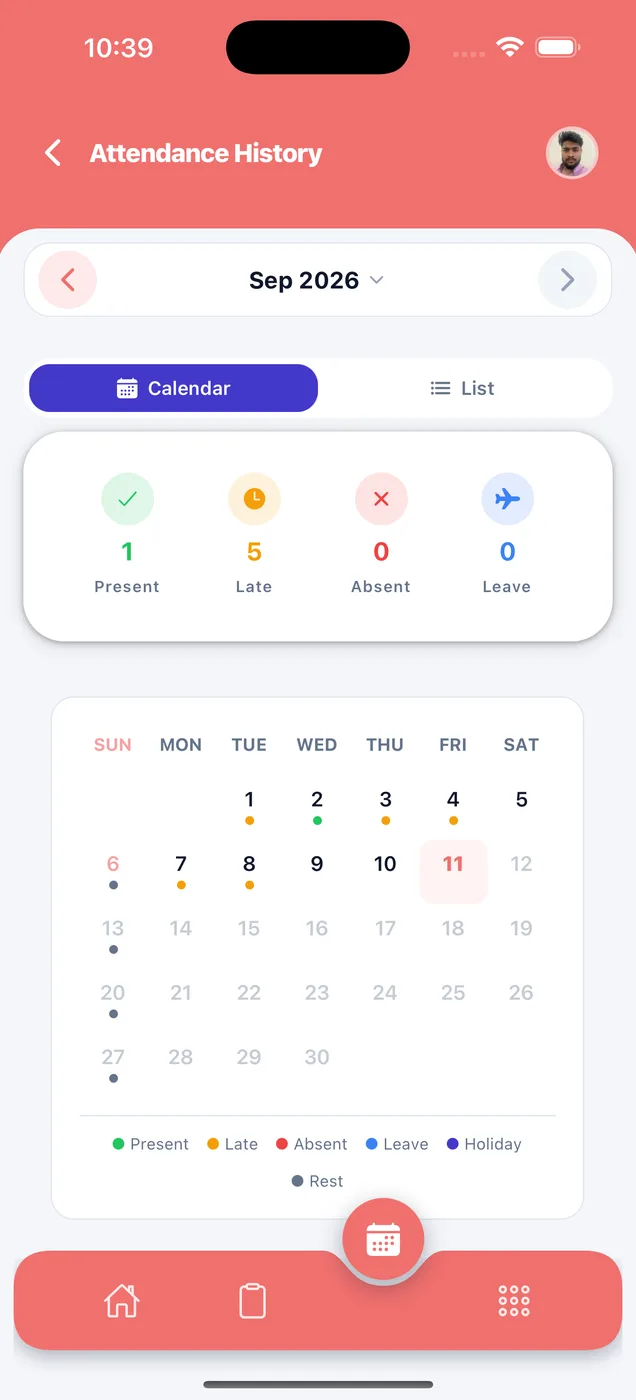
Every employee sees their days on a calendar or as a list, with present, late, absent and leave counted. If there is a mistake, they can show it.
- Calendar and list views
- Monthly counts at the top
- Nothing hidden from them
Every record for a date.
Four tabs cover everything an HR desk does: view records, mark daily attendance, mark multiple days and run a monthly summary.
- Filter by present, late, absent and on leave
- Clock-in and clock-out times in one table
- Monthly summary before payroll
About face attendance
Anything else? WhatsApp us on +91 82288 22825.
Can someone mark attendance for a colleague?
What about staff who do not have a smartphone?
Does attendance need an internet connection?
Can I correct a wrong day?



Attendance that counts itself.
It tells you exactly what you are about to write, like "52 records, 2 people across 26 days", before you press the button.
 iPhoneScan to download
 AndroidScan to download