 Payslips
A payslip your staff can actually read.
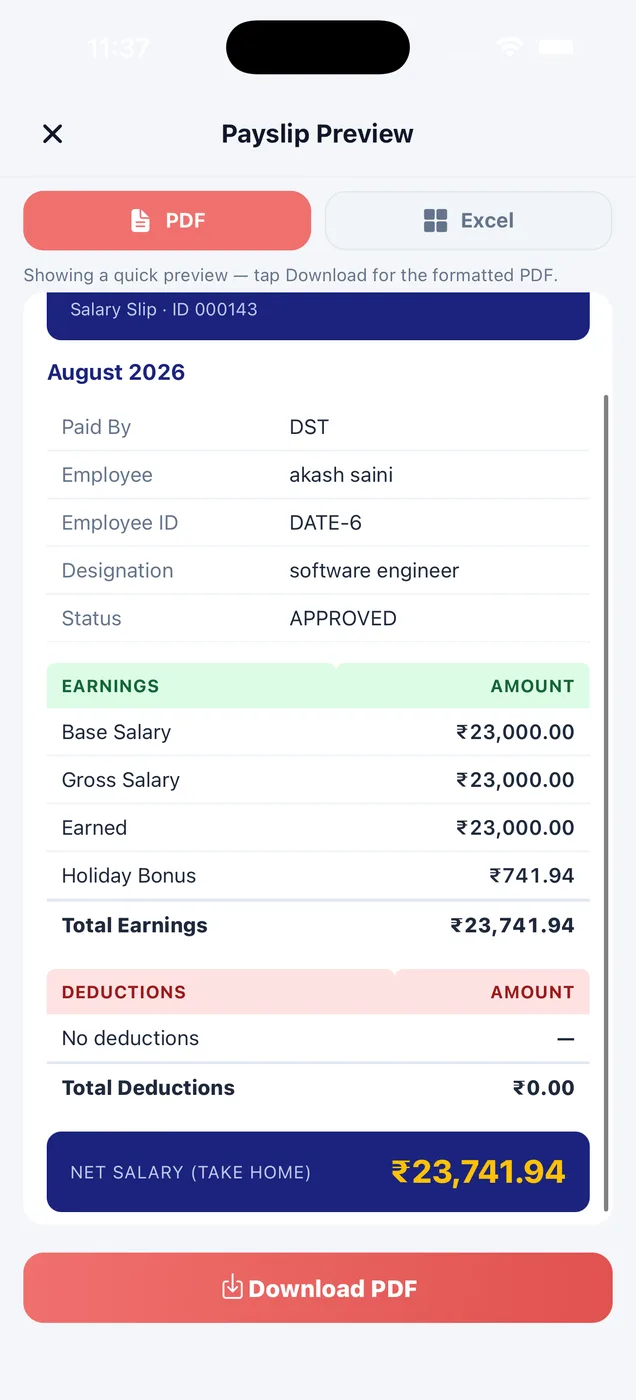
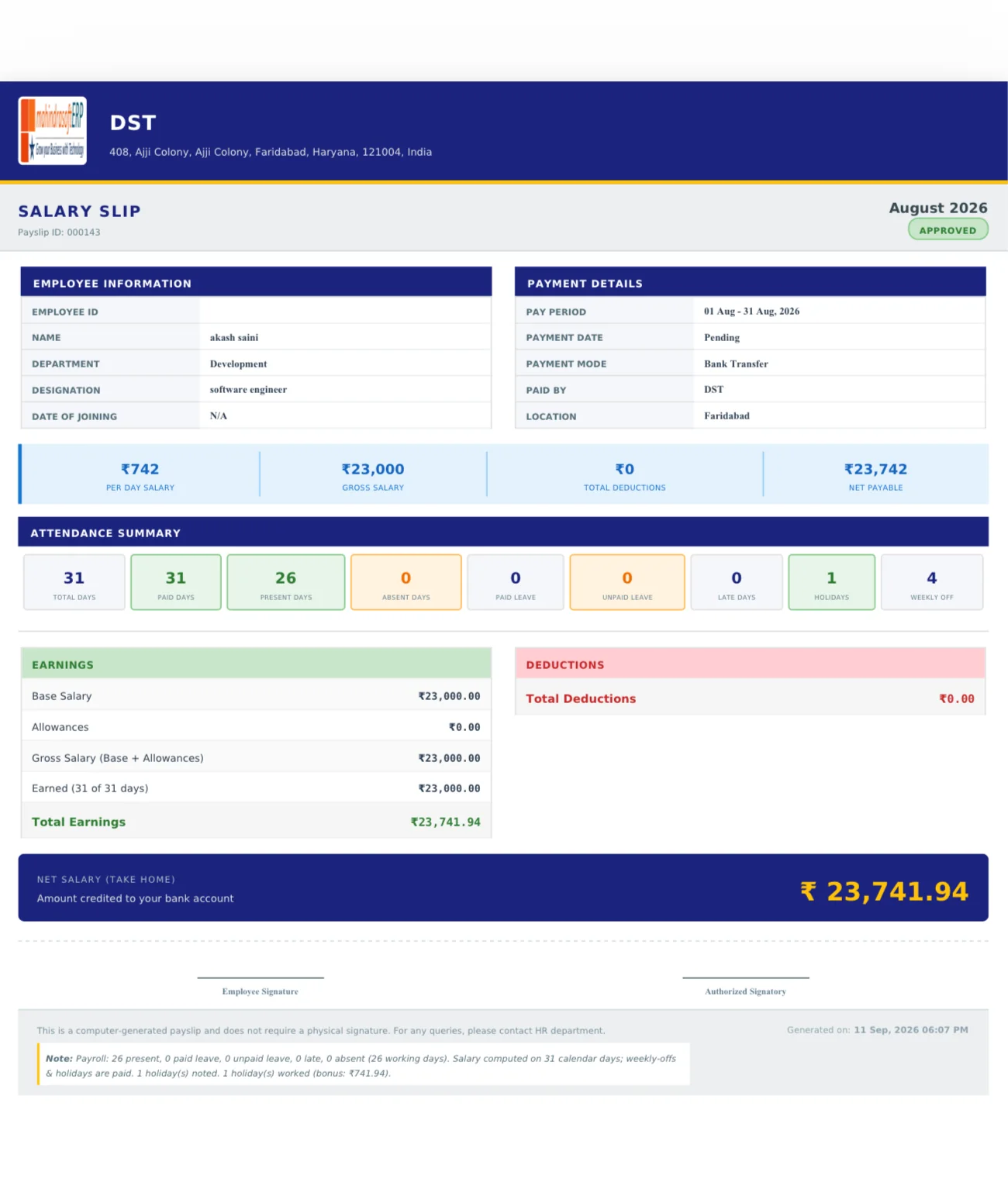
Every approved payroll becomes a clean payslip with your company name and address, the attendance table, earnings and deductions side by side, and the net salary called out. Staff get it in their own app.
Made for you
Your company details at the top, not ours. Everything on one page.
PDF or Excel
Download a PDF, export to Excel, or copy a share link, from the phone or the web.
In their app
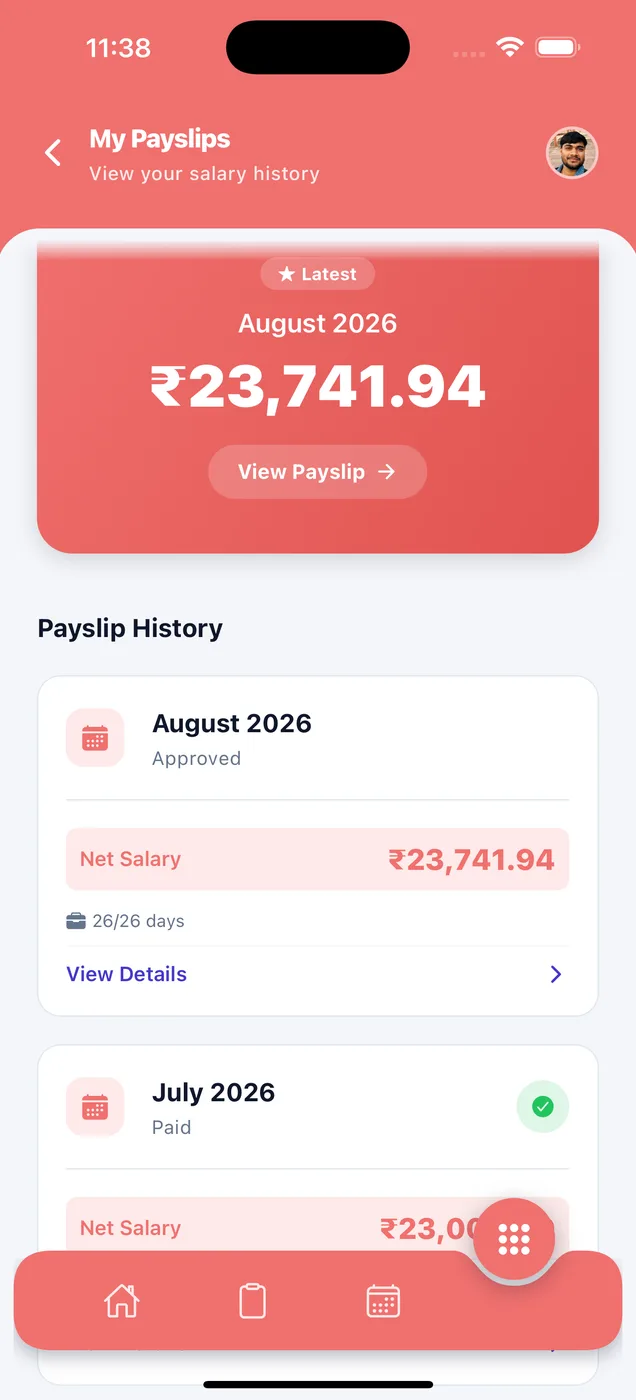
No login to chase and no copy to ask for. Every month is in their payslip history.
Everything on one page
Downloaded from the app in one tap. Company name and address at the top, a clean attendance table, earnings and deductions side by side, and the net salary called out.
Earnings
- Base salary
- Allowances
- Earned for days worked
- Bonus
- Overtime hours and amount
- Holiday bonus
- Any benefit you add
Deductions
- Standard deduction
- Unpaid leave
- Provident fund (PF)
- Employees' State Insurance (ESI)
- Advance recovery
- Penalty
How it looks in the app
Every month of salary, in one list.
Staff open any month and download it. Useful for loans, visas and rent agreements.
- Latest payslip at the top
- Approved and paid status
- Download in one tap
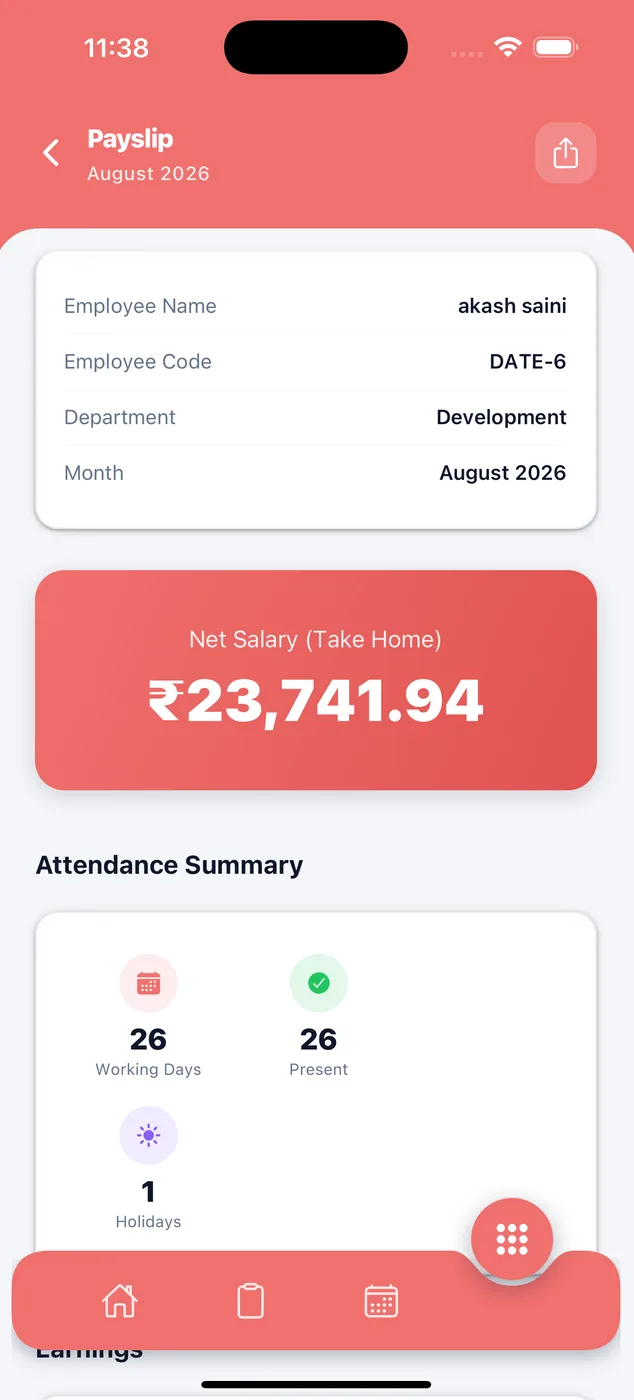
They can see why the amount is what it is.
Days worked, earnings and every deduction, plus the bank account the money goes to. If something is wrong, they can see it is wrong.
- Working days, present days and holidays
- Earnings and deductions
- Bank details for the transfer
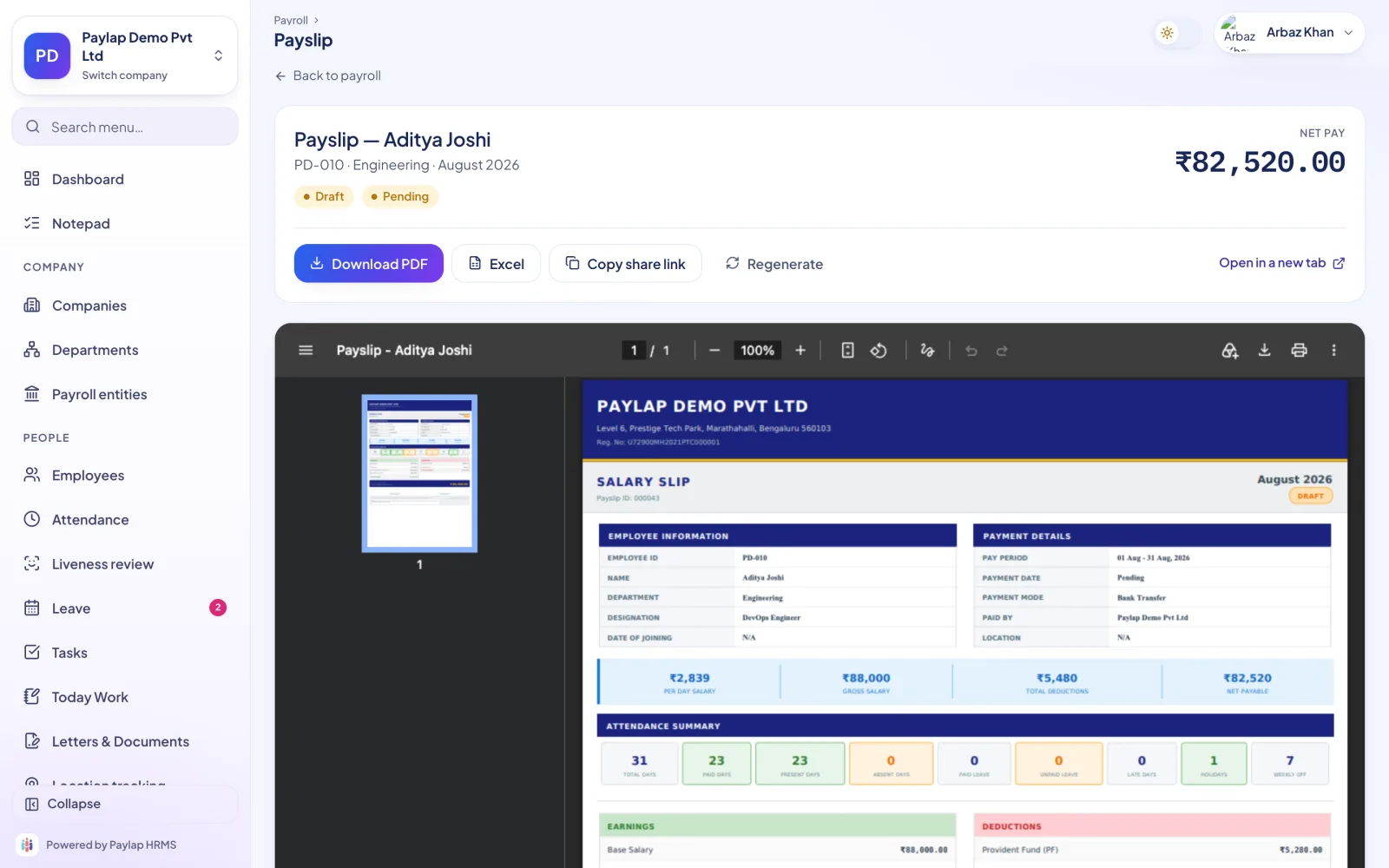
One payslip, and what you can do with it.
Download a PDF, export to Excel, copy a share link or open it in a new tab. Send a slip to a bank or an employee without opening the app.
- PDF and Excel
- Share link
- Regenerate while it is a draft
About payslips
Anything else? WhatsApp us on +91 82288 22825.
Can staff download their own payslips?
Does the payslip need a signature?
Can I export payslips to Excel?
Can I send a payslip without the app?

A payslip your staff can actually read.
No login to chase and no copy to ask for. Every month is in their payslip history.
 iPhoneScan to download
 AndroidScan to download