
 Employees
Every employee file, in your pocket.
Your full staff list, always current. Job, salary, documents, bank details and attendance for each person, with a nudge for anything that is missing.
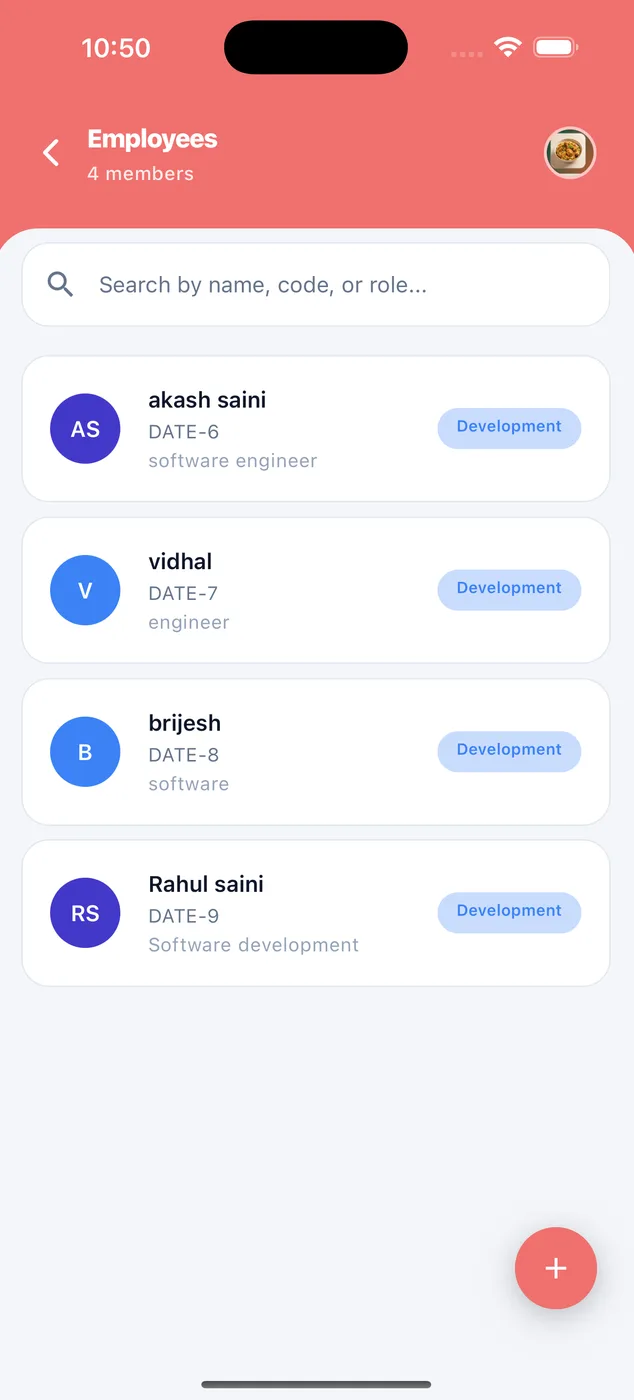
One list
Search by name, code or role. Tap + to add someone new.
Complete files
Profile completeness shows what is missing, like Aadhaar or PAN, so nothing slips.
Bring your old records in
Import your whole staff list from an Excel file, and export it any time.
How it looks in the app
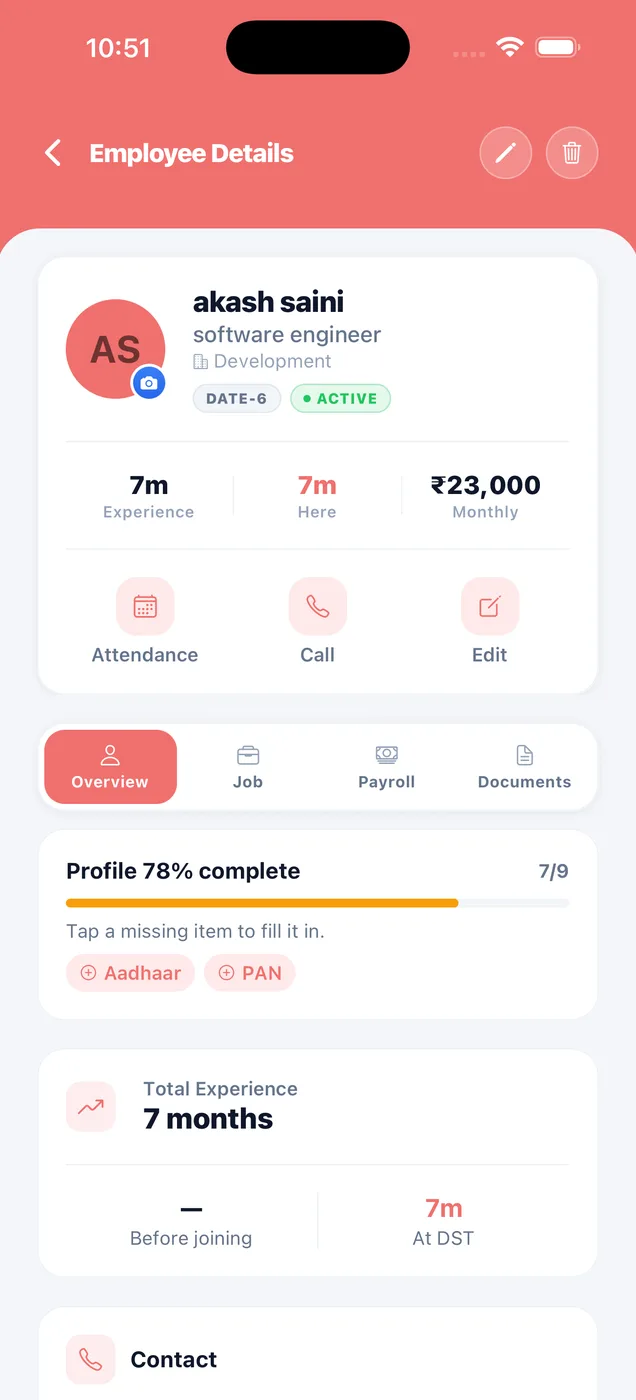
Everything about one person.
See their job, salary and documents. Call them, edit them, or offboard them. No more paper files.
- Overview, job, payroll and documents tabs
- Experience at your company
- Profile completeness with missing items
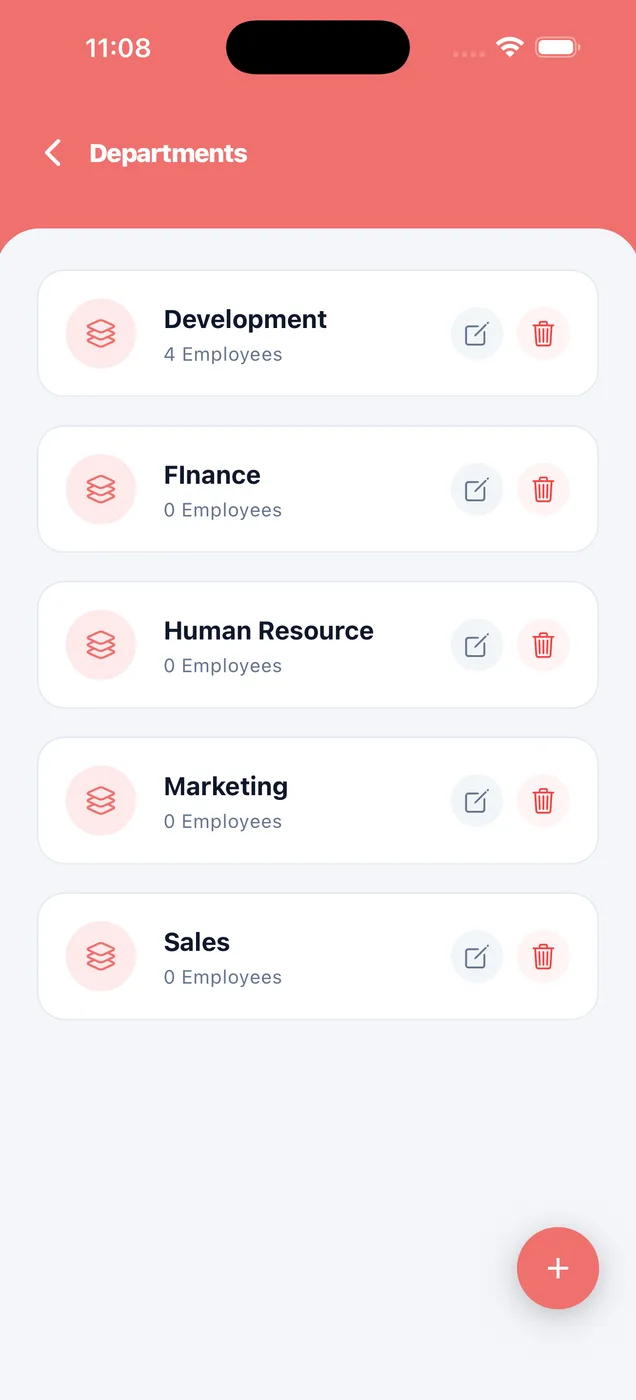
How your team is grouped.
Add or rename departments. Reports and headcount break down by these.
- Headcount per department
- Per company
- Edit any time
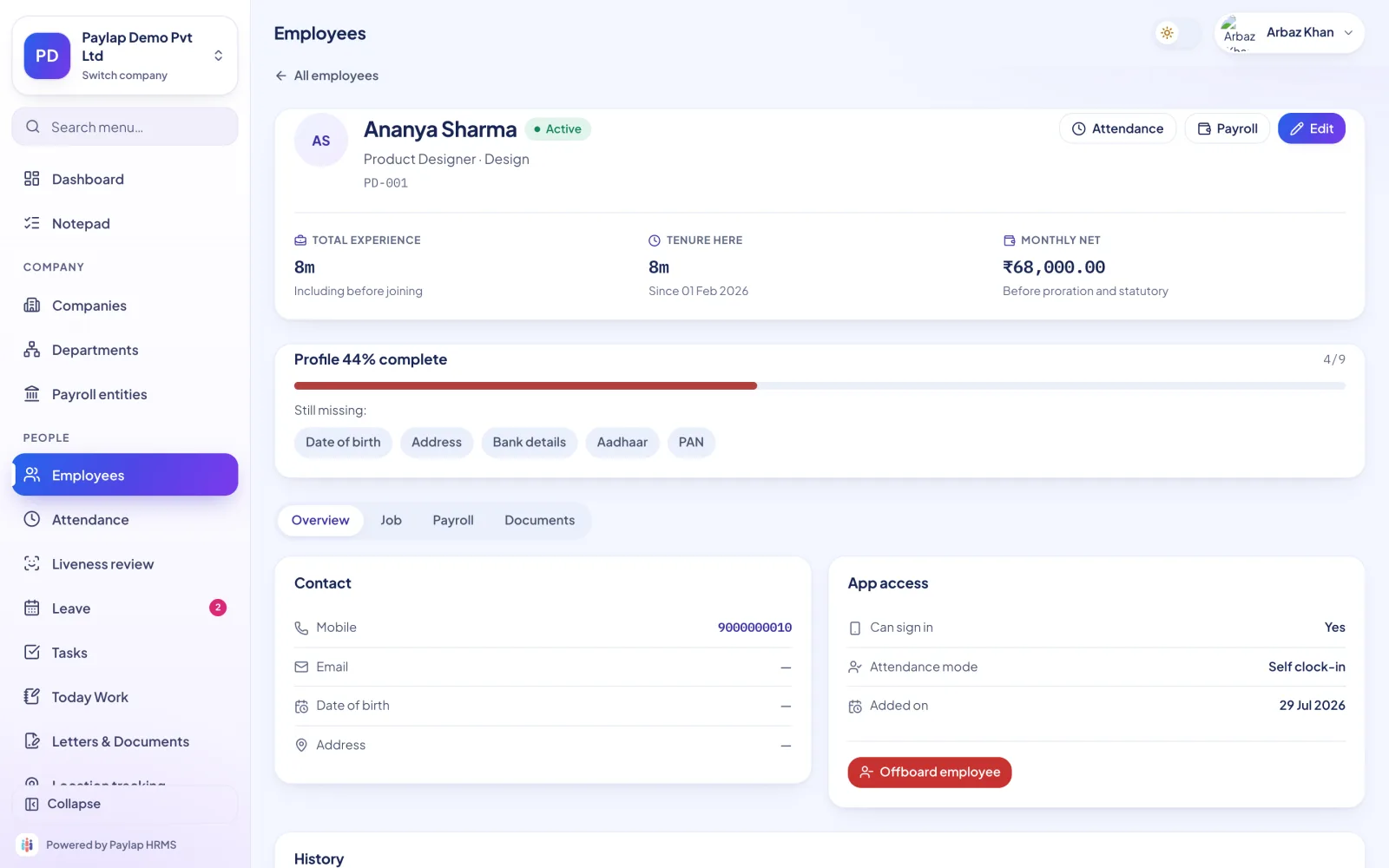
One person, one page.
Experience, tenure and monthly net pay at the top, profile completeness with what is missing, and tabs for job, payroll and documents.
- Aadhaar, PAN and bank details reminders
- App access and attendance mode
- Offboard when someone leaves
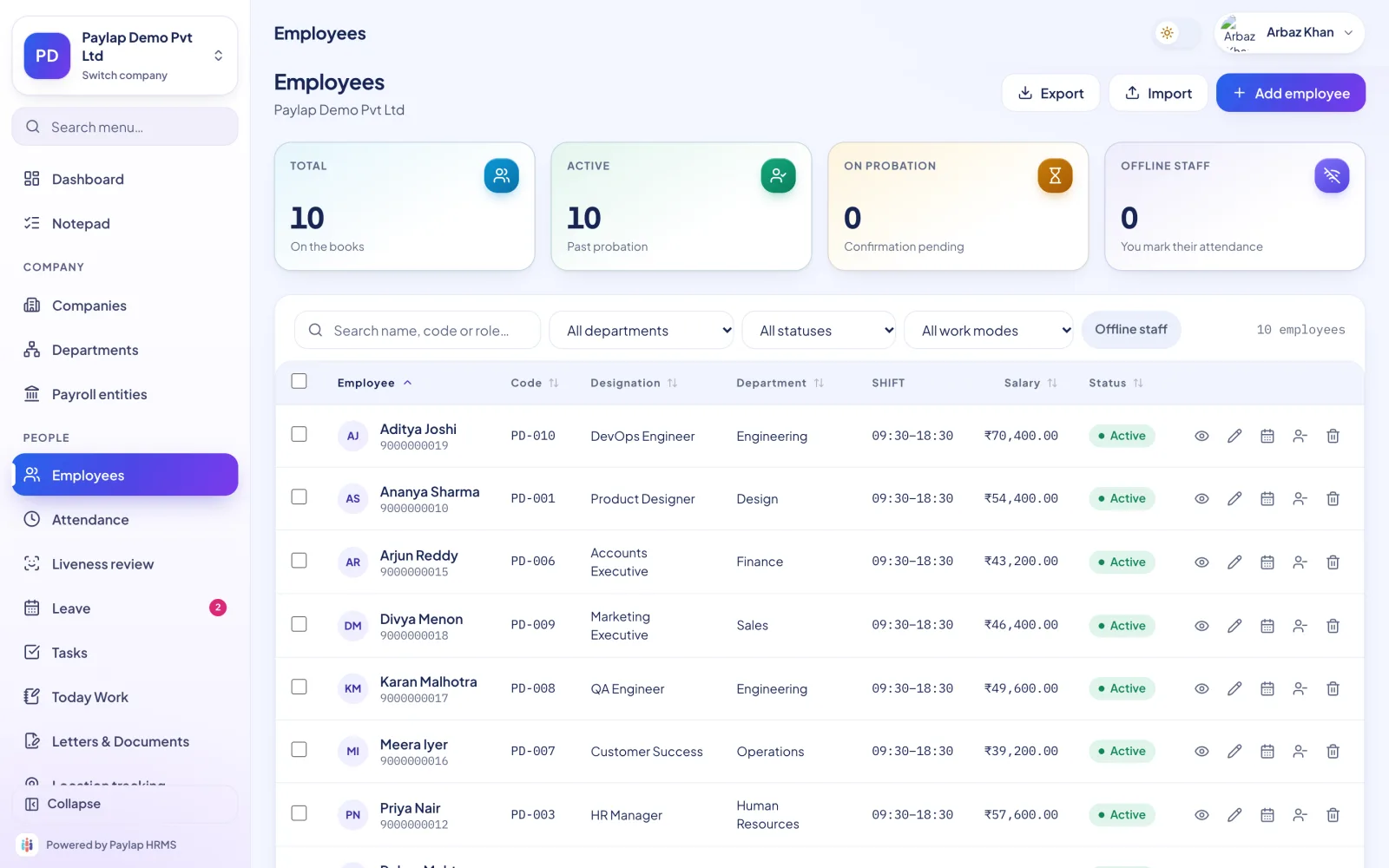
Your staff as a proper table.
Sort, filter and search. Export to Excel or import a new list. Adding fifty people takes minutes, not an afternoon.
- Total, active, on probation and offline staff
- Filter by department, status and work mode
- Import and export
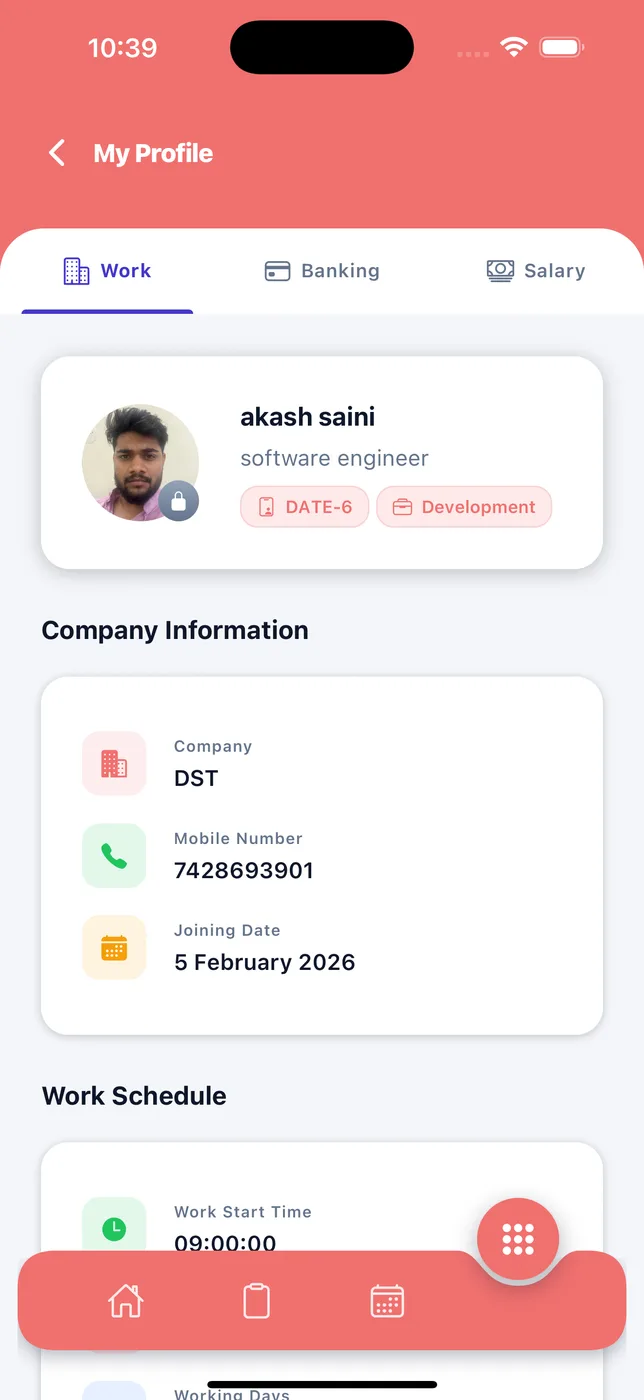
Their own job, bank and salary details.
Staff check their details are correct and can change their photo. Wrong bank details mean a delayed salary, so this matters.
- Work, banking and salary tabs
- Company and joining date
- Work schedule
About employees
Anything else? WhatsApp us on +91 82288 22825.
Can I import my staff from Excel?
Can I add staff who do not have a smartphone?
What happens when someone leaves?



Every employee file, in your pocket.
Import your whole staff list from an Excel file, and export it any time.
 iPhoneScan to download
 AndroidScan to download