
 Tasks
Tasks
Give work. See it done.
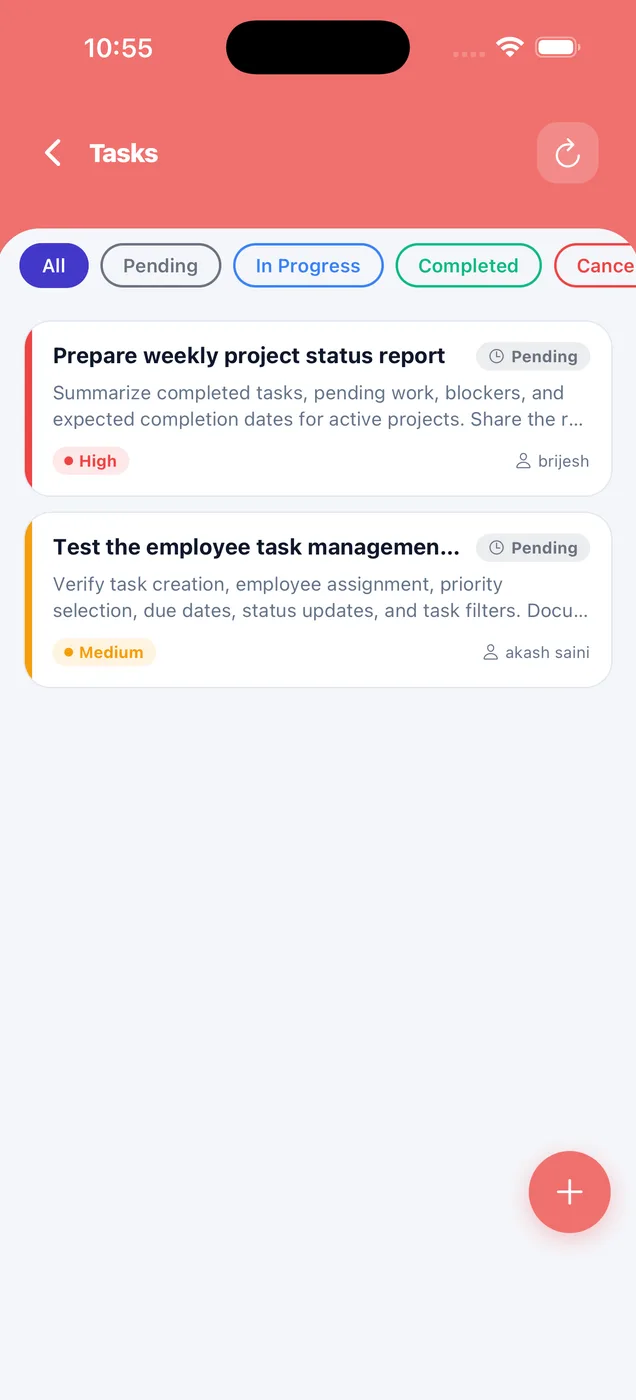
Create a task, set the priority and assign it to someone. Staff move it forward and add a photo as proof. You can see what is done and what is pending.
Assign
A title, details, a priority and the person who owns it.
Track
Pending, in progress, completed or cancelled, filtered in one tap.
Proof
Staff add a photo as proof when they move a task forward.
Screen by screen
How it looks in the app
For you
Work you have given to staff.
Create a task, set the priority, assign it to someone, and see what is done and what is pending.
- High, medium and low priority
- Status filters
- Who owns each task
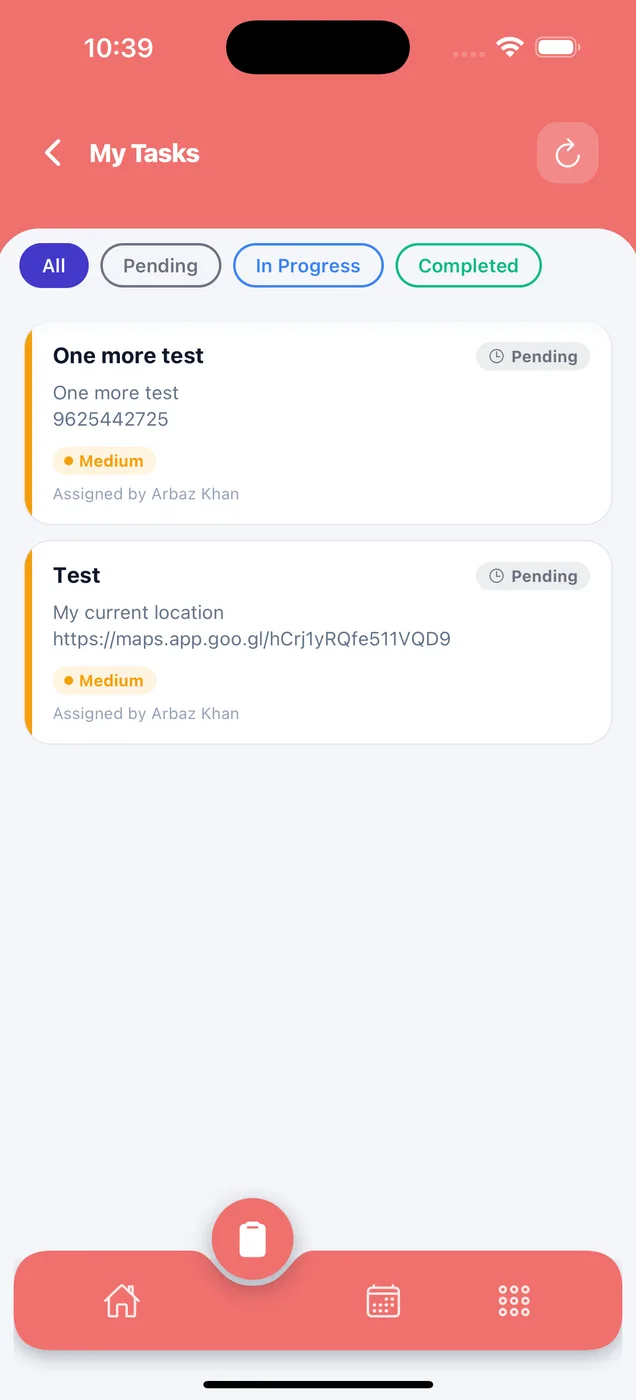
For your staff
Work given to them.
Staff move a task forward and add a photo as proof. Their work is visible to you.
- Assigned by name
- Move to in progress or completed
- Photo proof
On the web
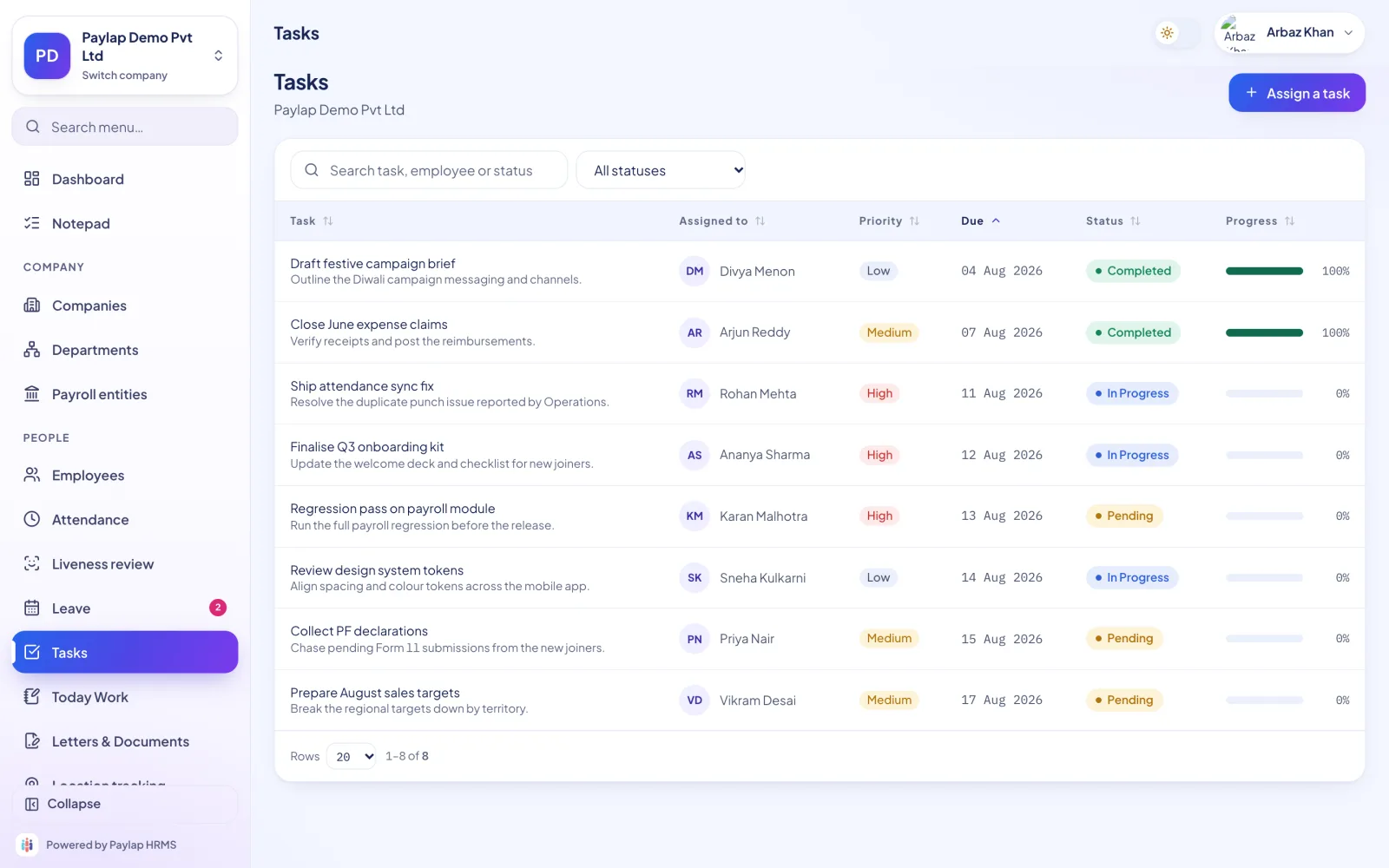
One place for who is doing what.
Assign a task and track it to done across the whole company.
- Search by task, employee or status
- Assign from the table
- Priority at a glance
Questions
About tasks
Anything else? WhatsApp us on +91 82288 22825.
Can staff attach proof?
Yes. Staff add a photo as proof when they move a task forward.
Can I see all tasks across the company?
Yes. The web dashboard lists every task with its owner, priority and status.



Get started today
Give work. See it done.
Staff add a photo as proof when they move a task forward.
 iPhoneScan to download
 AndroidScan to download
The product brochure
40 pages. Every screen, explained.
Download PDF